Example of Use
Monitoring of critical containers
Section titled “Monitoring of critical containers”Monitor the operational status of your Docker containers in real time. This allows you to quickly detect stopped or failing containers and take immediate action to maintain service availability.
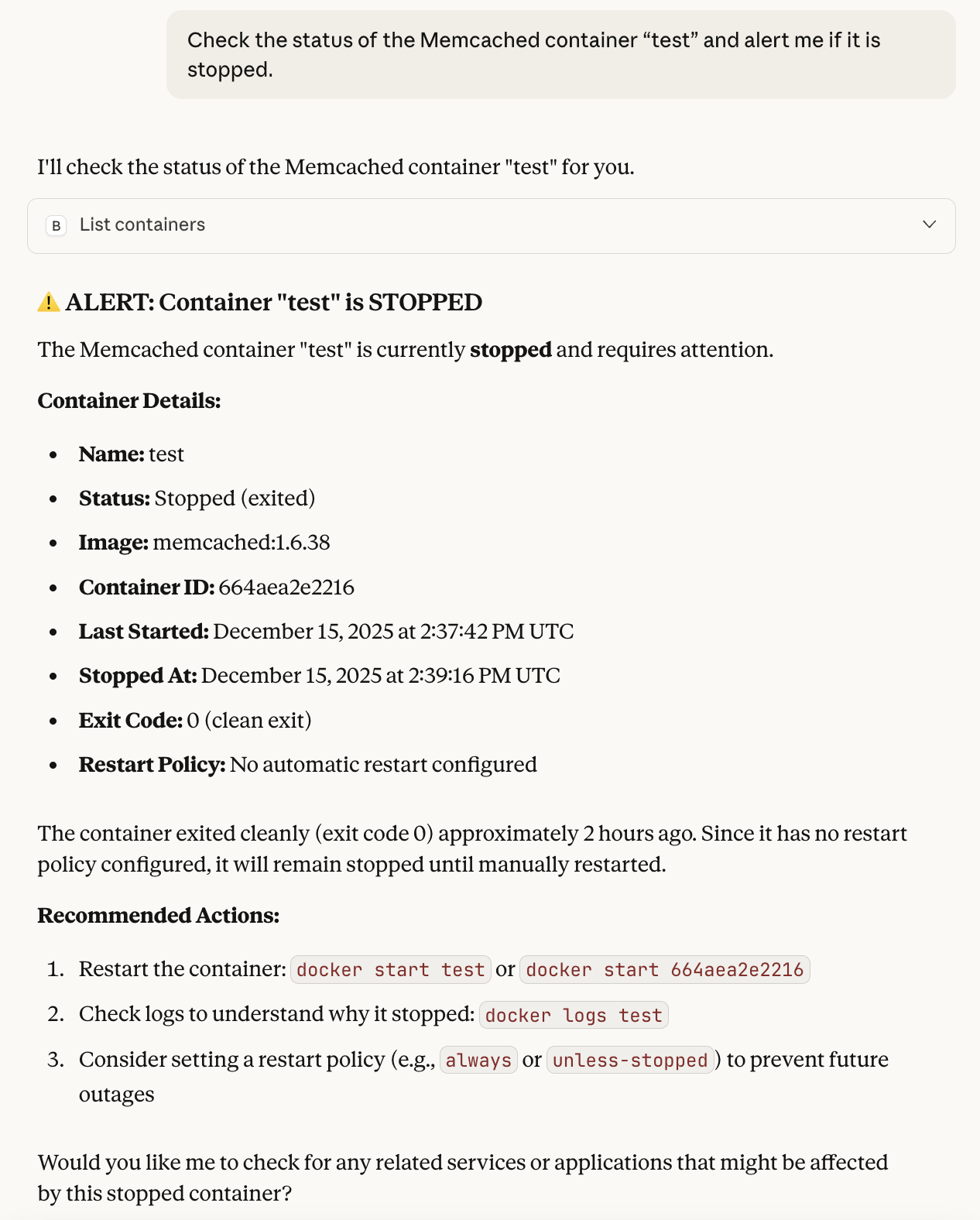
Check status of a specific container
Section titled “Check status of a specific container”User prompt: “Check the status of the Memcached container “test” and alert me if it is stopped.“
Process:
- Retrieves the list of containers to find the one requested
- Performs an initial analysis of the container’s status using the data collected
- Proposes a solution to resolve the issue
Infrastructure health requests
Section titled “Infrastructure health requests”Get a comprehensive overview of your entire infrastructure’s health status. Query active alerts, service statuses, and system metrics to quickly identify issues and prioritize interventions.
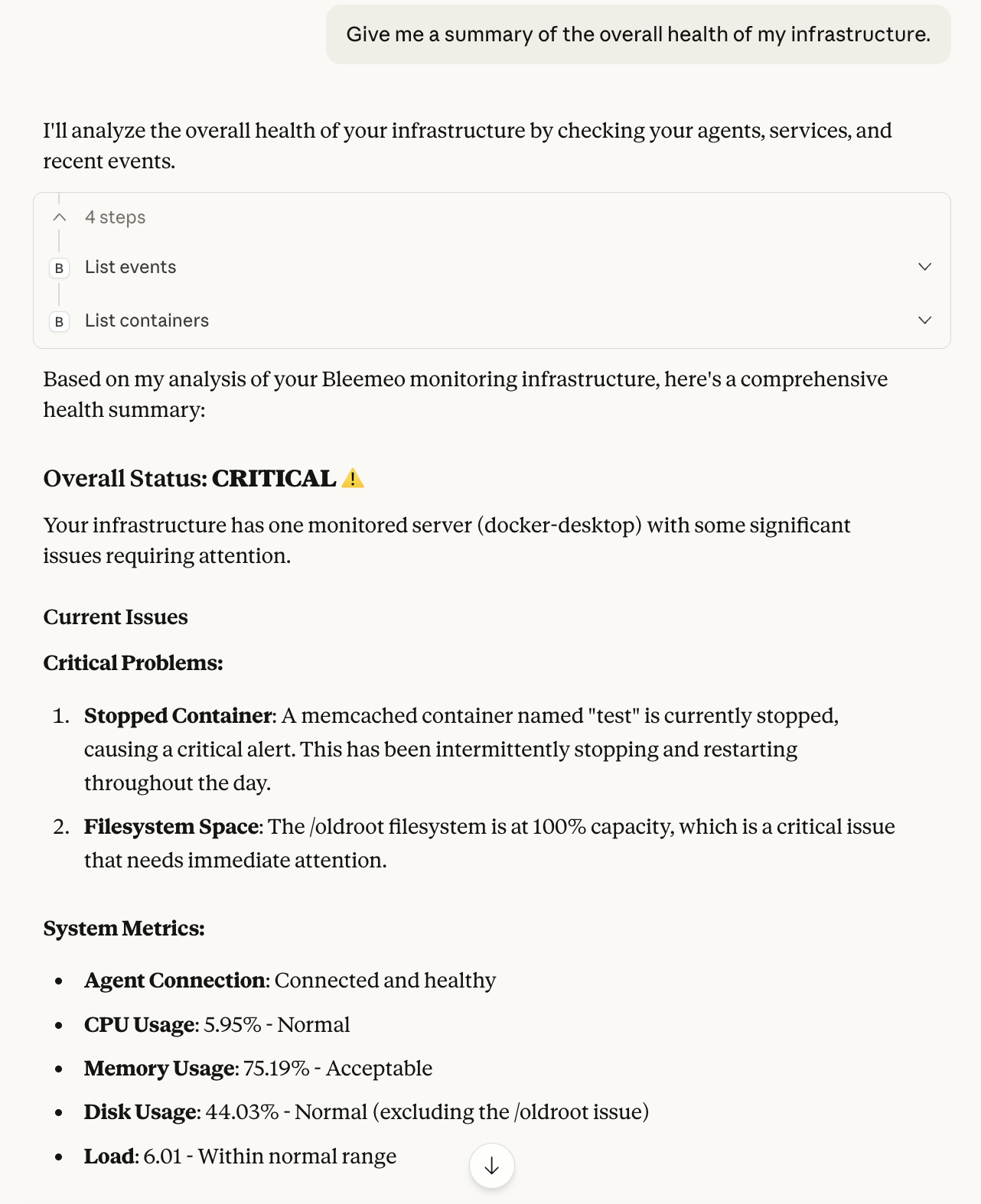
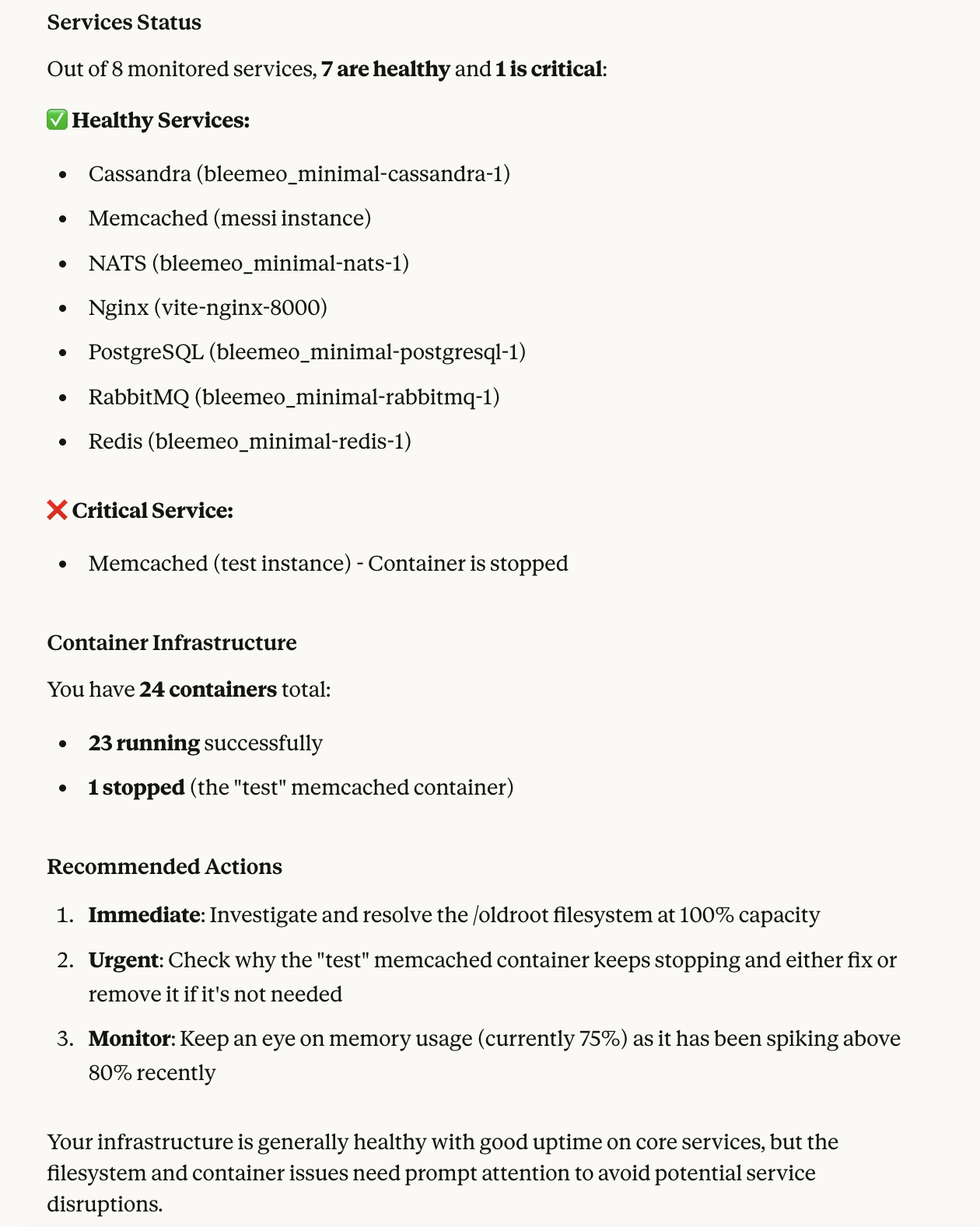
Global health check
Section titled “Global health check”User prompt: “Give me a summary of the overall health of my infrastructure.”
Process:
- Retrieves a list of various objects, including agents, applications, services, etc.
- Also retrieves the list of events to check if there are any unresolved events
- Analyses the general status of the entire infrastructure by listing each problem
- Proposes a solution for resolving each outstanding problem
- Also takes preventive action when there are recurring problems on the same parts of the infrastructure
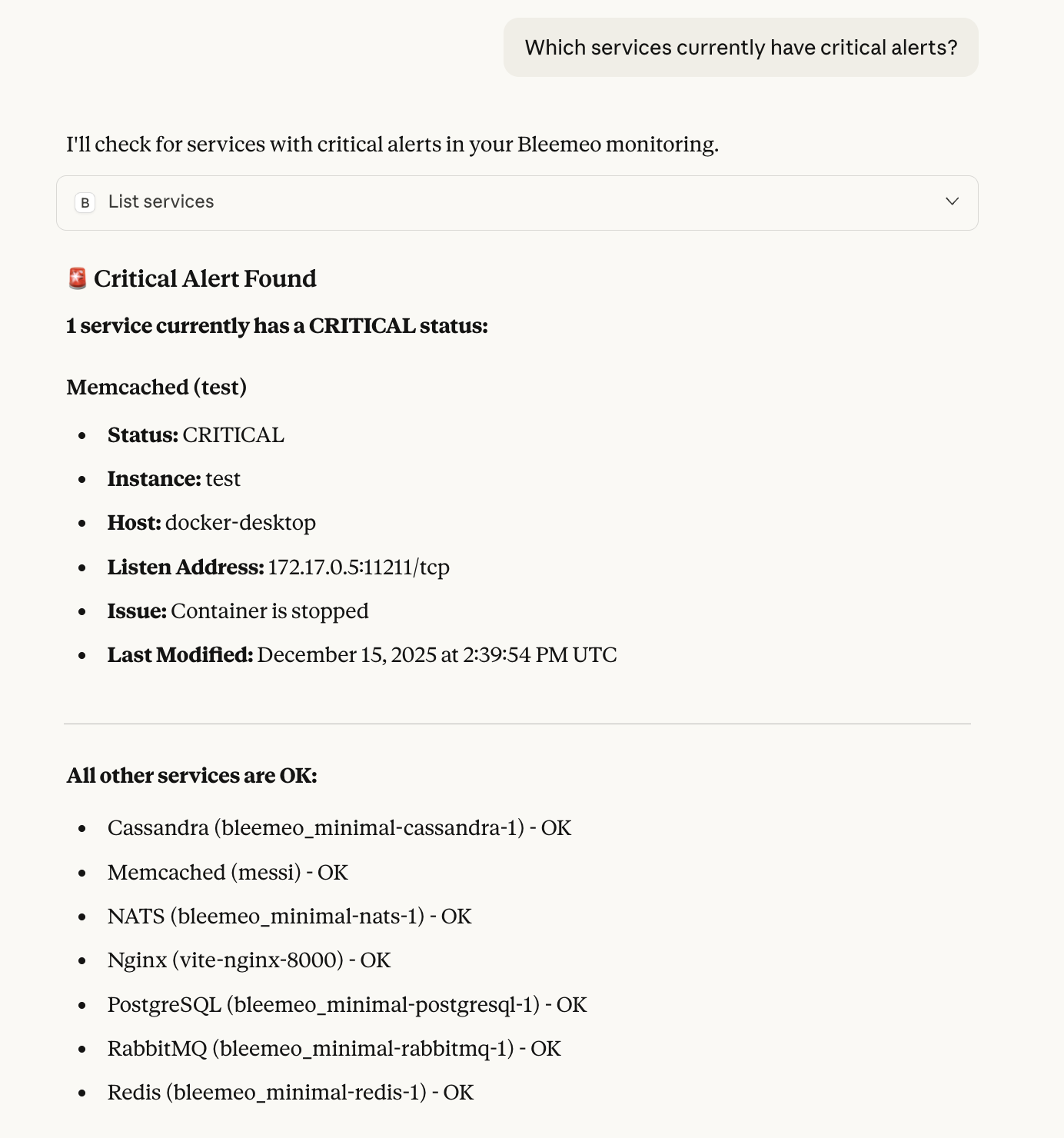
Find critical alert
Section titled “Find critical alert”User prompt: “Which services currently have critical alerts?”
Process:
- Retrieves the list of all services
- Analyses the status of services using the data collected and displays any issues
- Also displays services that are not affected to ensure proper functioning
Metrics analysis
Section titled “Metrics analysis”Go beyond the current status and ask questions about the history of your metrics. The assistant can read the data points of any metric, or write its own PromQL queries to aggregate and compare time series across your servers, containers and services.
Trend of a single metric
Section titled “Trend of a single metric”User prompt: “How did the CPU usage of server “web-01” evolve over the last 24 hours?“
Process:
- Finds the agent and the matching
cpu_usedmetric - Retrieves the data points of the metric over the requested period
- Summarizes the trend, the peaks and when they happened
Compare servers with PromQL
Section titled “Compare servers with PromQL”User prompt: “Which 5 servers had the highest average memory usage this week?”
Process:
- Builds a PromQL query such as
topk(5, avg_over_time(mem_used_perc[7d])) - Runs the query over the requested period
- Ranks the servers and highlights the ones close to their thresholds
Investigate an incident
Section titled “Investigate an incident”User prompt: “The API was slow yesterday around 3 PM. What happened on the servers behind it?”
Process:
- Retrieves the events around the incident and the services involved
- Queries the CPU, memory, disk I/O and network metrics of the related servers for the same time window
- Correlates the anomalies and proposes a probable root cause
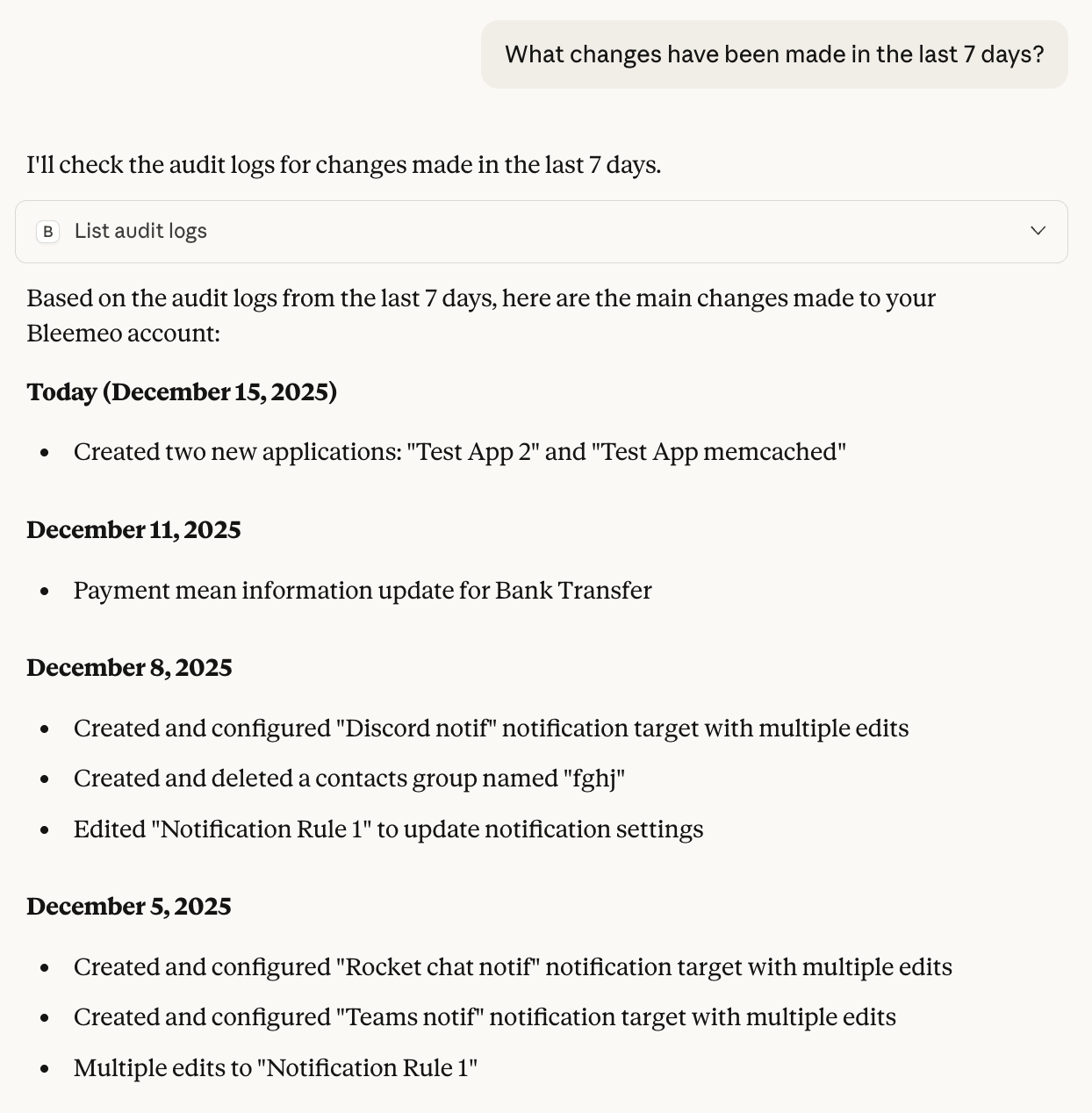
Modification to the monitoring platform
Section titled “Modification to the monitoring platform”Track all changes made to your Bleemeo monitoring configuration. This audit trail helps you understand recent modifications, troubleshoot issues, and maintain compliance with your monitoring policies.
Account changes
Section titled “Account changes”User prompt: “What changes have been made in the last 7 days?”
Process:
- Retrieves the latest actions performed on the account
- Formats and lists these latest changes