

Public Status Pages for Monitoring
A public status page lets you share the real-time availability and performance of your applications with your end users. It is a public, unauthenticated page that displays the current health, uptime, and incidents of the applications you decide to publish.
Typical use cases:
- Communicate transparently with customers during incidents
- Reduce support load by publishing a “single source of truth” status URL
- Provide evidence of uptime as part of your SLA
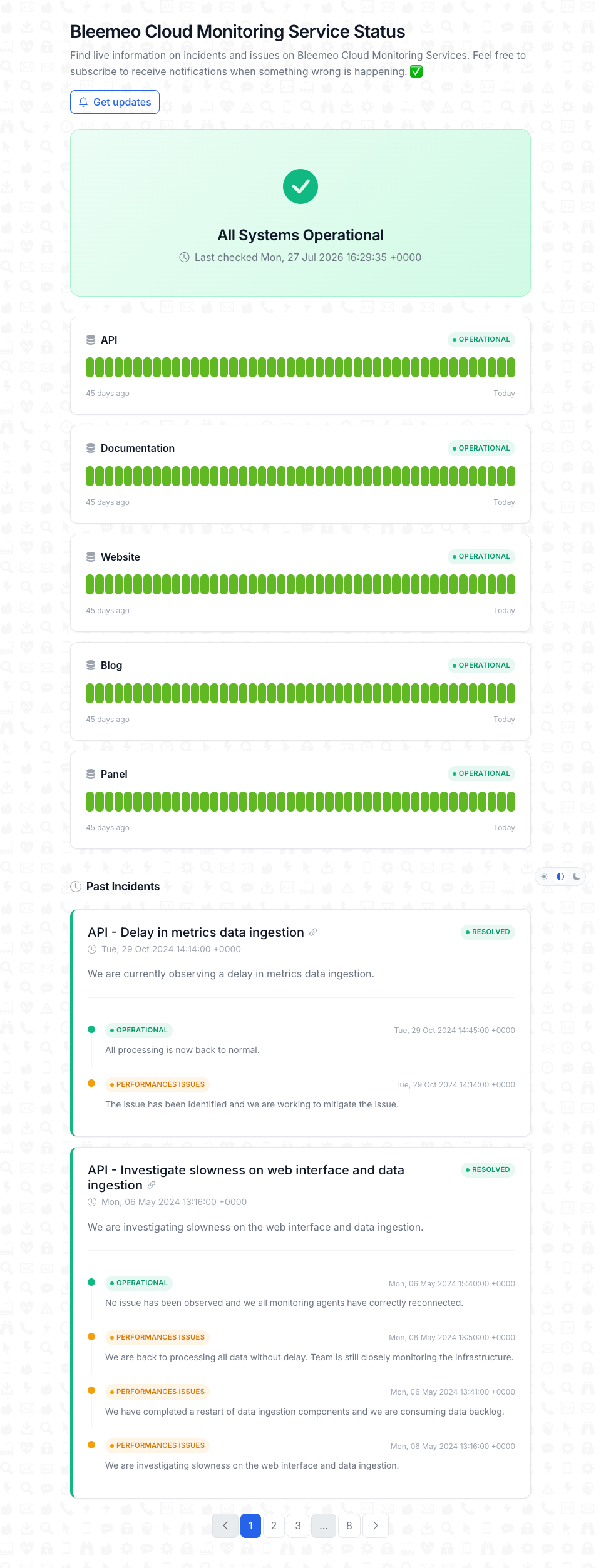
How an application’s health reaches the status page
Section titled “How an application’s health reaches the status page”Each public status page is linked to one or more applications. The health displayed on the page is computed automatically from the services and monitors that carry the application tag:
- You create an application (a tag like
my-app) on Bleemeo. - You attach services and uptime monitors to that tag (manually, via
glouton.tagson Docker/Kubernetes, or automatically when Glouton detects your Docker Compose project — see Docker Compose). - You associate the application with a public status page.
From then on, every status change of the underlying services and monitors is reflected on the public page without additional configuration. Disassociating an application from a status page leaves the application itself untouched; only its visibility on the page is removed.
Create a public status page
Section titled “Create a public status page”In the Bleemeo panel, go to the Applications section and open Public Status Pages, then click Add Public Status Page. The following options are available:
- Title (required): display name shown at the top of the public page. Minimum 3 characters.
- URL suffix (required): the slug used to build the public URL. If left empty, it is automatically generated from the title. The final URL is
https://status.bleemeo.com/<url-suffix>/. - Associated applications: select one or more applications to publish on this page. Only their names and real-time health are exposed publicly.
Once saved, the page is immediately available at its public URL and can be shared with your customers.
Edit and manage a public status page
Section titled “Edit and manage a public status page”From the public status pages list you can:
- Edit: change the title, URL suffix, and the set of associated applications.
- Delete: removes the public page. The linked applications keep their services and monitors; only the page itself is removed.
- Visit public URL: open the customer-facing page in a new tab.
Learn more
Section titled “Learn more”- Application Monitoring Overview — create applications and tag services
- Uptime Monitoring — add HTTP, TCP or ping monitors to an application
- Docker Compose automatic tagging