Uptime Monitoring Configuration
Creating a Monitor
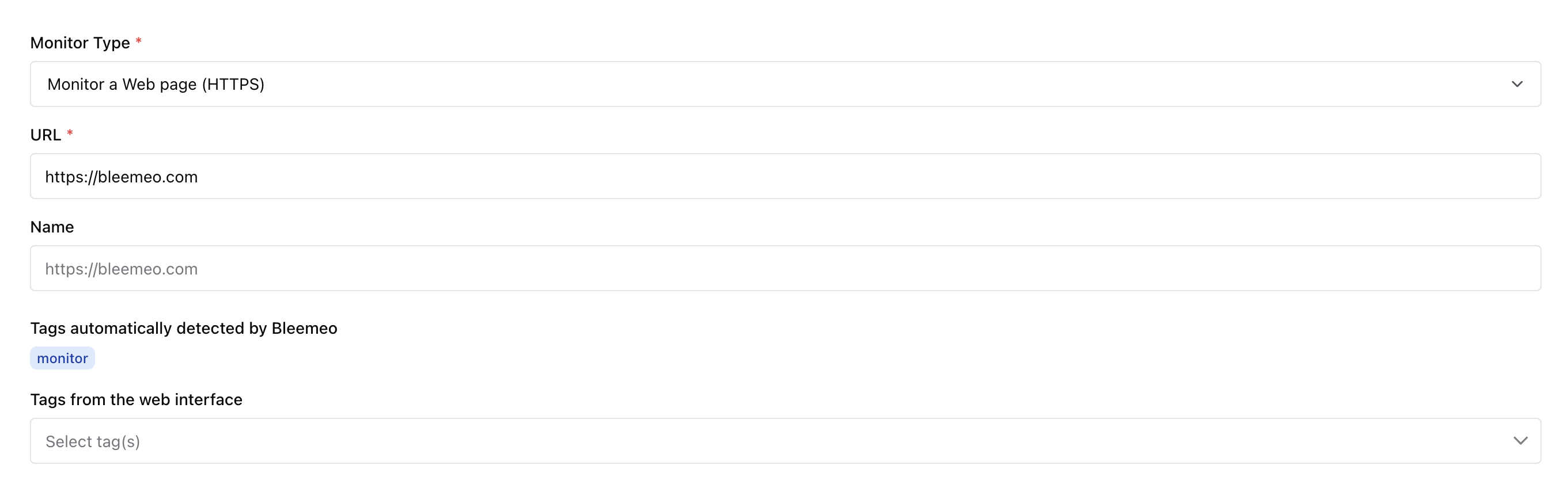
Section titled “Creating a Monitor”To create a monitor, start by selecting the check type. Bleemeo supports HTTP, HTTPS, ICMP, TCP, SSL TCP, and DNS checks.

Then enter the URL or hostname you want to monitor.
Probe Selection
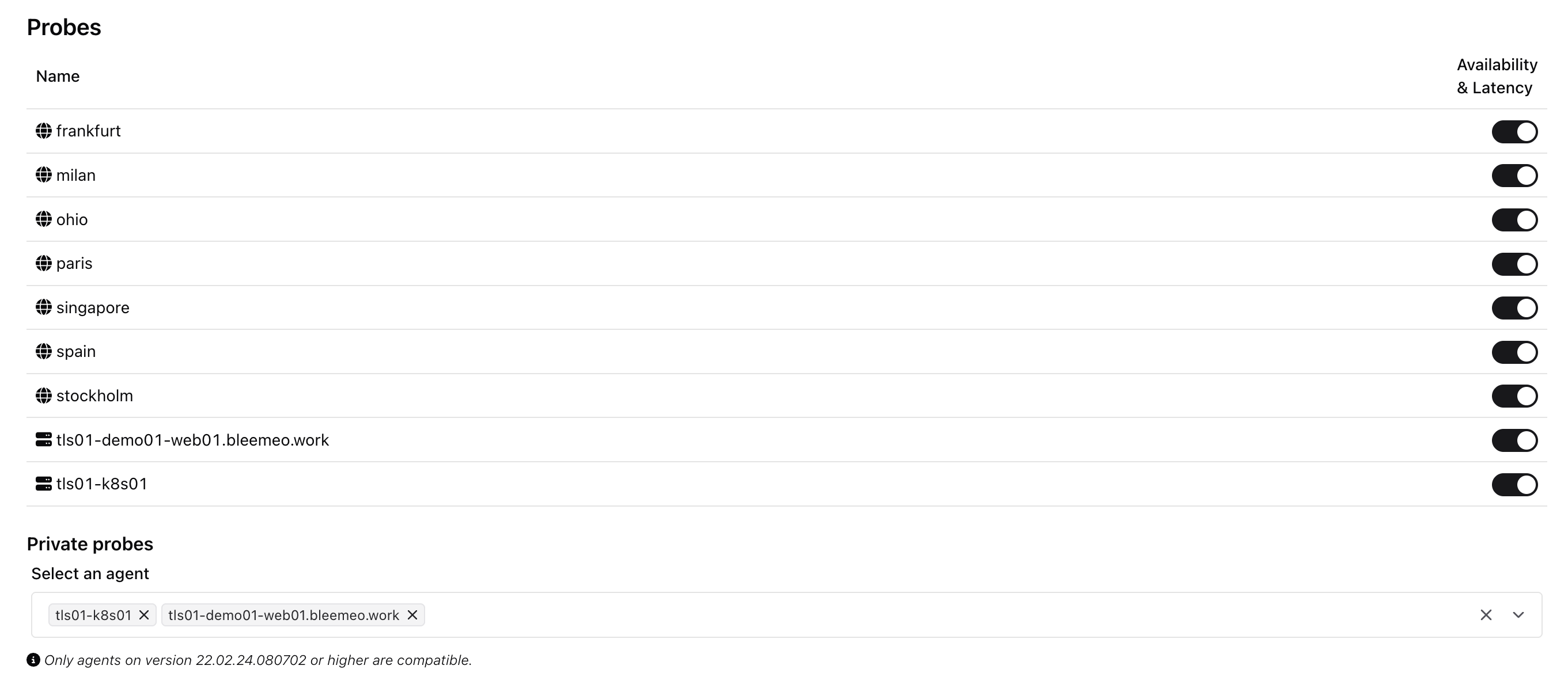
Section titled “Probe Selection”By default, European public probes are enabled with both availability and latency checks. You can also enable probes in Ohio (North America) and Singapore (Asia), and choose whether to measure availability, latency, or both for each region.
In addition to public probes, you can add private probes using any Glouton agent (version 22.02.24.080702 or later) connected to your account. Private probes are useful for monitoring internal URLs not reachable from the internet. There is no limit on the number of private probes you can add.
Advanced Options
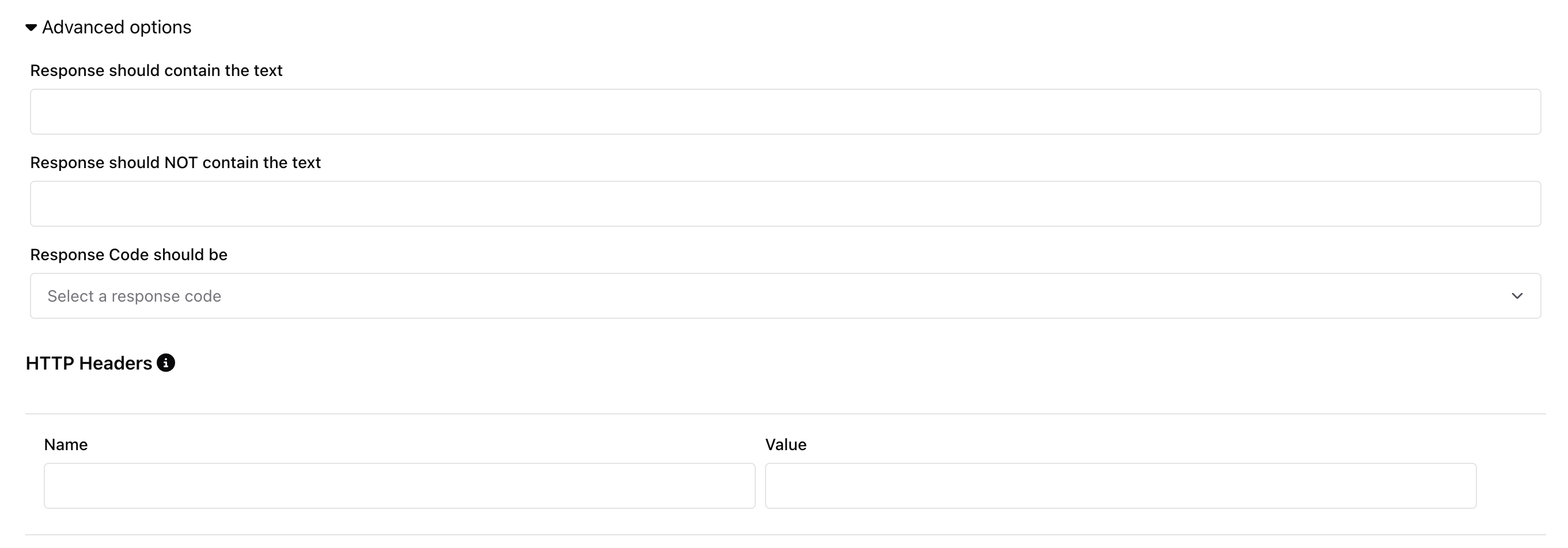
Section titled “Advanced Options”You can configure advanced checks for HTTP and HTTPS monitors:
- Expected response code — verify that the server returns a specific HTTP status code
- Text presence or absence — check that the response body contains or does not contain specific text
- Custom HTTP headers — add headers to the request (e.g., for authentication or host routing)
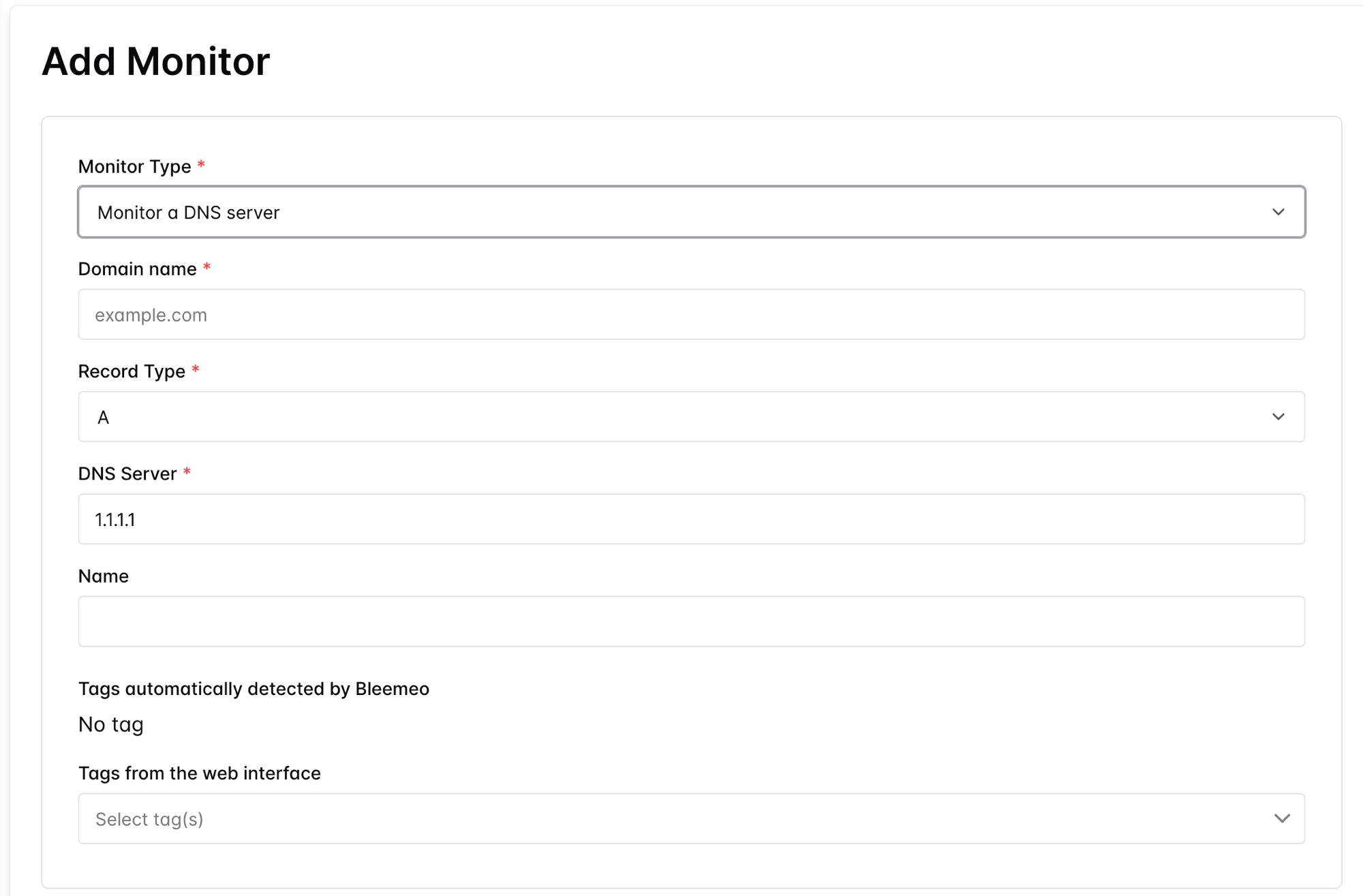
DNS Checks
Section titled “DNS Checks”A DNS monitor resolves a name against a DNS server and reports whether the resolution succeeds, along with the response time.
Select Monitor a DNS server as the monitor type, then fill in:
- Domain name — the name to resolve (for example
example.com). - Record Type — the DNS record to query (
Aby default; alsoAAAA,TXT, and others). - DNS Server — the resolver to query (for example
1.1.1.1).