

Logs Overview
How Log Monitoring Works
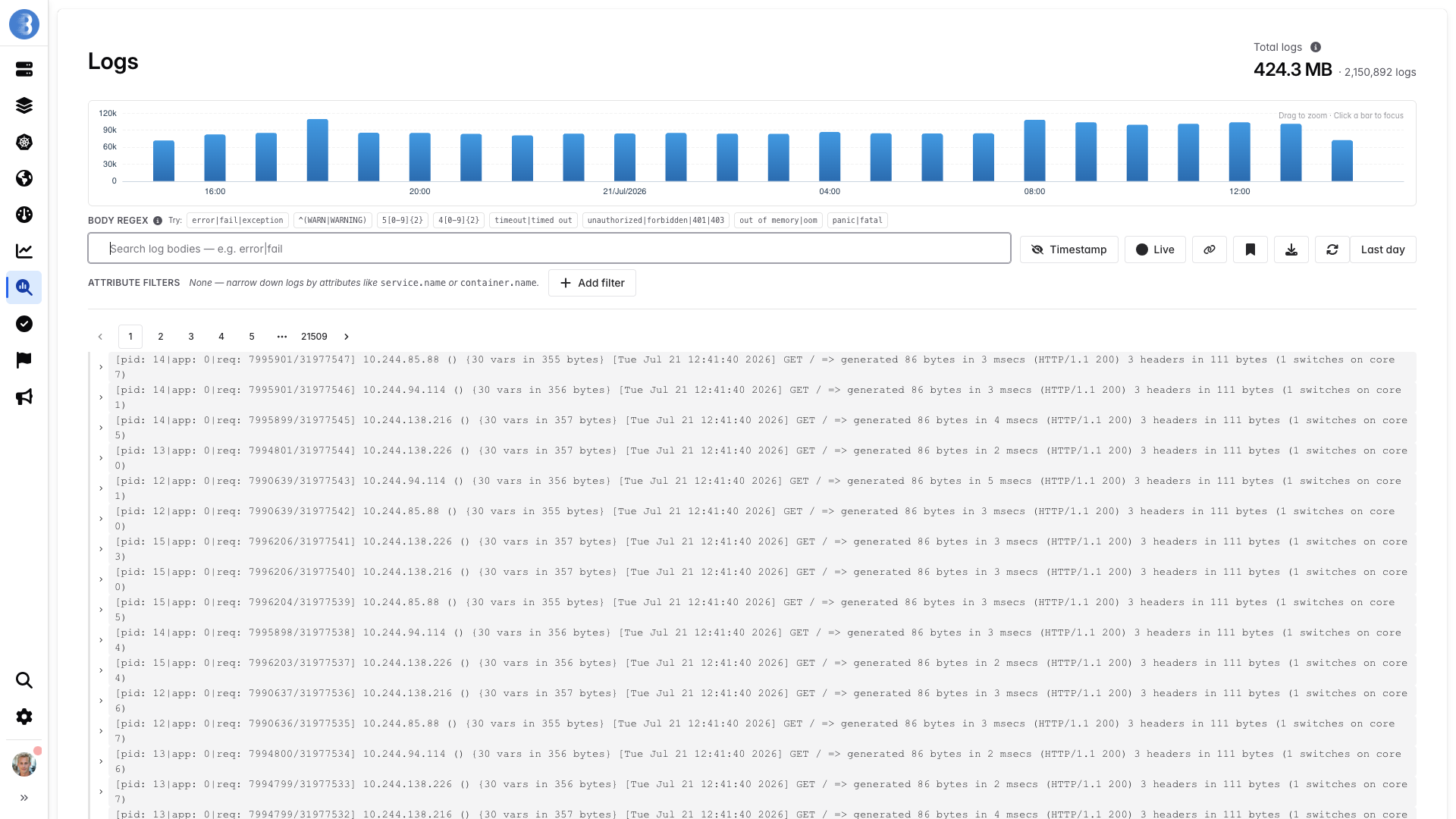
Section titled “How Log Monitoring Works”Glouton embeds a log processing pipeline based on the OpenTelemetry Collector. It collects logs from multiple sources, processes them with operators and filters, and exports them to the Bleemeo Cloud Platform where they can be browsed and analyzed.
Log Sources
Section titled “Log Sources”Glouton supports the following log sources:
| Source | Description | Details |
|---|---|---|
| Container logs | Automatic collection from Docker and Kubernetes containers | Container Logs |
| Service logs | Automatic detection and collection from known services (Nginx, PostgreSQL, Redis, etc.) | Service Logs |
| System logs | System logs via systemd-journald, syslog, or Auditd | System Logs |
| File logs | Read log files using glob patterns | File Logs |
| OTLP receivers | Receive logs via OTLP gRPC (port 4317) or HTTP (port 4318) | OTLP Receivers |
Enabling Log Processing
Section titled “Enabling Log Processing”Log shipping is enabled by default (log.opentelemetry.shipping_enable: true), but automatic
discovery of log sources requires additional settings.
The simplest way is to use all_enable which enables all log sources at once (containers, services, systemd-journald, syslog, and Auditd).
For more control, you can enable each source individually. The example below enables container and service logs along with systemd-journald system logs:
Linux Package
Section titled “Linux Package”sudo tee /etc/glouton/conf.d/99-logs.conf > /dev/null << 'EOF'log.opentelemetry.auto_discovery.container_and_service_enable: truelog.opentelemetry.auto_discovery.journald_enable: trueEOFGlouton automatically detects configuration changes — no restart is needed. It will start collecting logs from running services (Nginx, PostgreSQL, Redis, etc.) along with systemd-journald system logs.
Docker
Section titled “Docker”When running Glouton as a Docker container, pass the settings as environment variables:
docker run -d --restart=unless-stopped --name glouton \ -v /var/run/docker.sock:/var/run/docker.sock:ro \ -v /:/hostroot:ro \ -e GLOUTON_LOG_OPENTELEMETRY_AUTO_DISCOVERY_CONTAINER_AND_SERVICE_ENABLE=true \ -e GLOUTON_LOG_OPENTELEMETRY_AUTO_DISCOVERY_JOURNALD_ENABLE=true \ bleemeo/bleemeo-agentOr, using a configuration file mounted into the container:
sudo mkdir -p /etc/glouton/conf.dsudo tee /etc/glouton/conf.d/99-logs.conf > /dev/null << 'EOF'log.opentelemetry.auto_discovery.container_and_service_enable: truelog.opentelemetry.auto_discovery.journald_enable: trueEOF
docker run -d --restart=unless-stopped --name glouton \  -v /var/run/docker.sock:/var/run/docker.sock:ro \  -v /:/hostroot:ro \  -v /etc/glouton/conf.d/:/etc/glouton/conf.d/:ro \  bleemeo/bleemeo-agent
Once enabled, logs from containers, discovered services, and the system journal are automatically gathered and sent to the Bleemeo Cloud Platform.
Next Steps
Section titled “Next Steps”- Container Logs — automatic Docker and Kubernetes log collection
- Service Logs — automatic detection of known services
- System Logs — systemd-journald, syslog, and Auditd logs
- File Logs — collect logs from files with operators and filters
- OTLP Receivers — receive logs via gRPC or HTTP
- Log Formats & Filters — built-in formats and filter reference
- Log Metrics — generate metrics from logs