

Twilio SMS
Starter
Professional
Send critical alerts via SMS using Twilio's global messaging network. Ensure on-call engineers receive urgent notifications even when they're away from their computers.
Learn more about Twilio1
Get Your Twilio Credentials
You’ll need three pieces of information from your Twilio account:
- Go to your Twilio Console
- Copy your Account SID and Auth Token from the dashboard
- Get your Twilio phone number from Phone Numbers
If you don’t have a Twilio account, sign up to get started.
2
Add the Integration in Bleemeo
- Go to the Integrations page
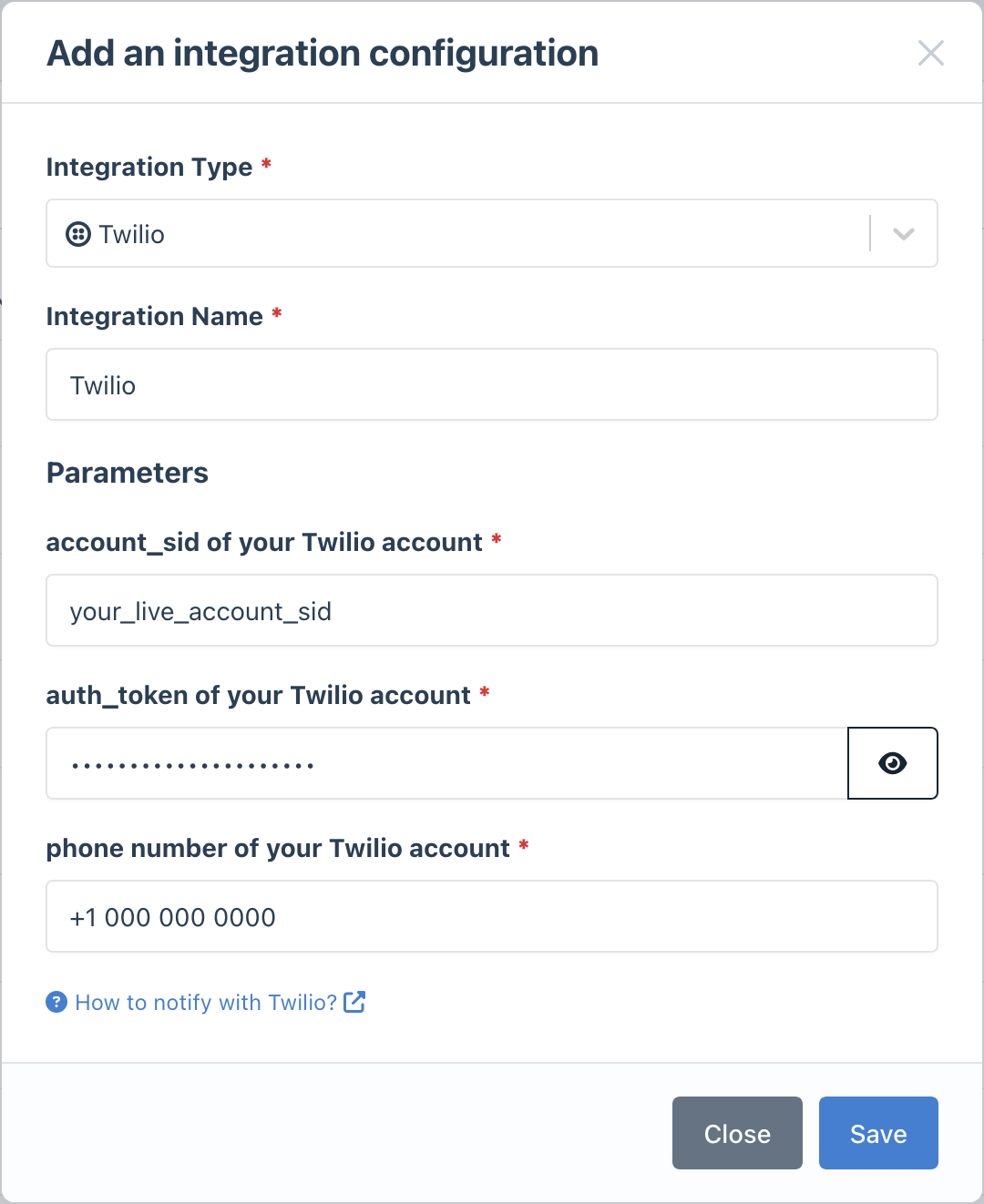
- Click Add Integration and select Twilio
- Enter your Twilio credentials:
- Account SID
- Auth Token
- Phone Number (the Twilio number to send from)
- Give it a descriptive name
3
Configure Notification Rules
- Go to Notifications
- Create a new rule or edit an existing one
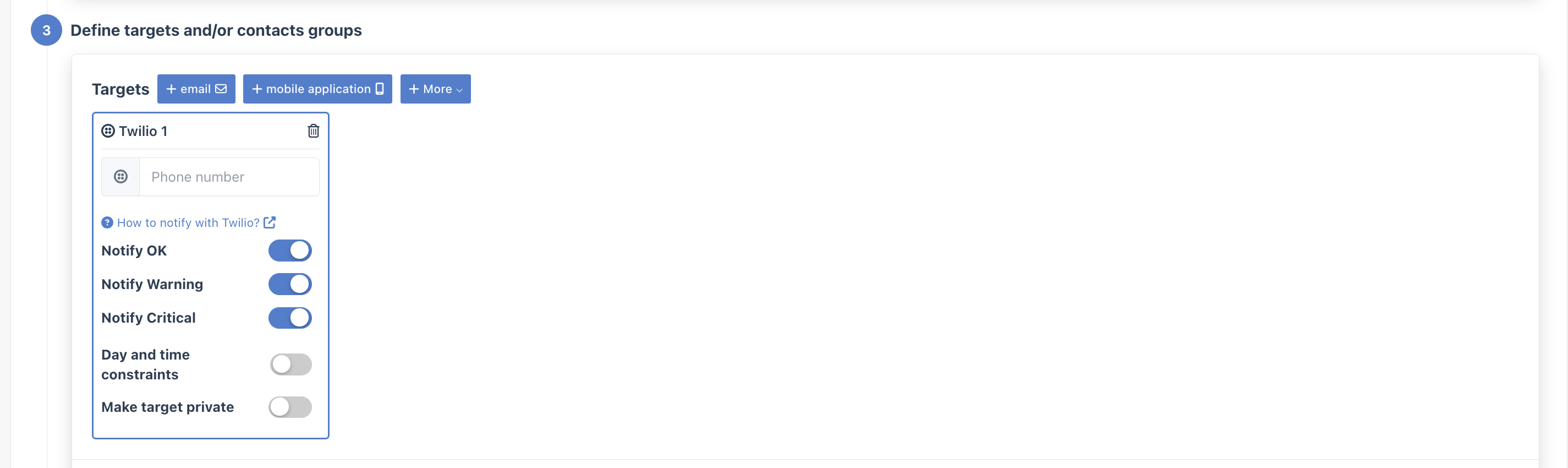
- In the Targets step, select your Twilio integration
- Enter the recipient phone number (include country code, e.g.,
+1234567890)
Best Practices
Section titled “Best Practices”- Reserve SMS for critical alerts: SMS can be expensive and disruptive—use it only for high-priority issues
- Include country codes: Always use the full international format (
+1...) - Set up multiple recipients: Add separate notification rules for backup on-call contacts
- Test during setup: Verify SMS delivery works before relying on it for production alerts