

Slack Webhook (Deprecated)
Starter
Professional
Send alerts to Slack using incoming webhooks. This legacy method still works but is no longer recommended for new setups.
Learn more about Slack Webhook1
Create an Incoming Webhook in Slack
- Go to your Slack workspace’s Apps & Integrations
- Search for “Incoming Webhooks” and add it
- Choose the channel where you want to receive alerts
- Copy the generated webhook URL
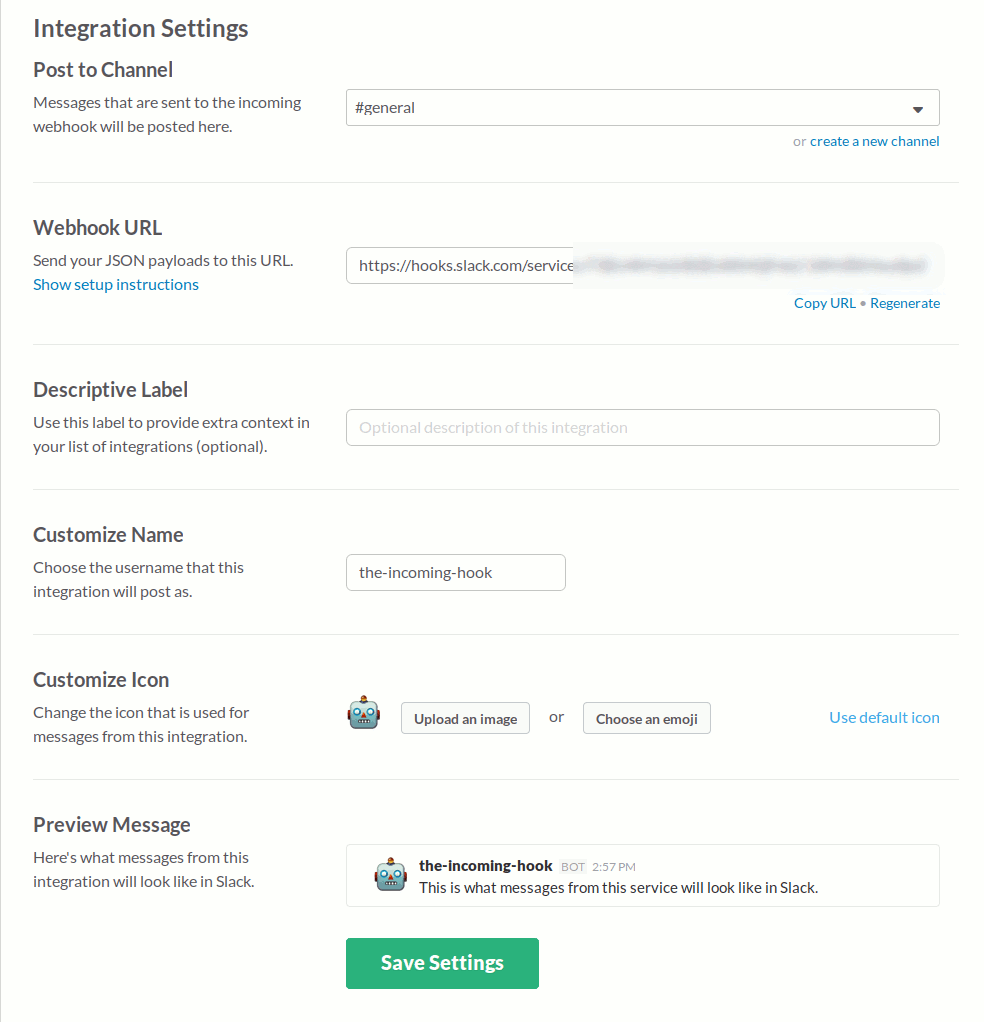
2
Configure in Bleemeo
- Go to the Integrations page
- Create a new Slack Webhook integration
- Go to Notifications
- Create a rule and paste your webhook URL

Migrate to the New Slack Integration
Section titled “Migrate to the New Slack Integration”We recommend migrating to the Slack app integration for:
- Easier setup with OAuth
- Better message formatting
- More reliable delivery
- Improved security