

OpsGenie
Starter
Professional
Route Bleemeo alerts to OpsGenie for intelligent incident management. Leverage OpsGenie's on-call schedules, escalation policies, and alert routing to ensure the right team members respond to issues.
Learn more about OpsGenie1
Create an API Integration in OpsGenie
- In OpsGenie, go to Settings → Integrations
- Click Add Integration and select API
- Configure the integration:
- Give it a name (e.g., “Bleemeo”)
- Assign it to a team
- Set permissions to at least Create and Update Access
- Copy the API Key
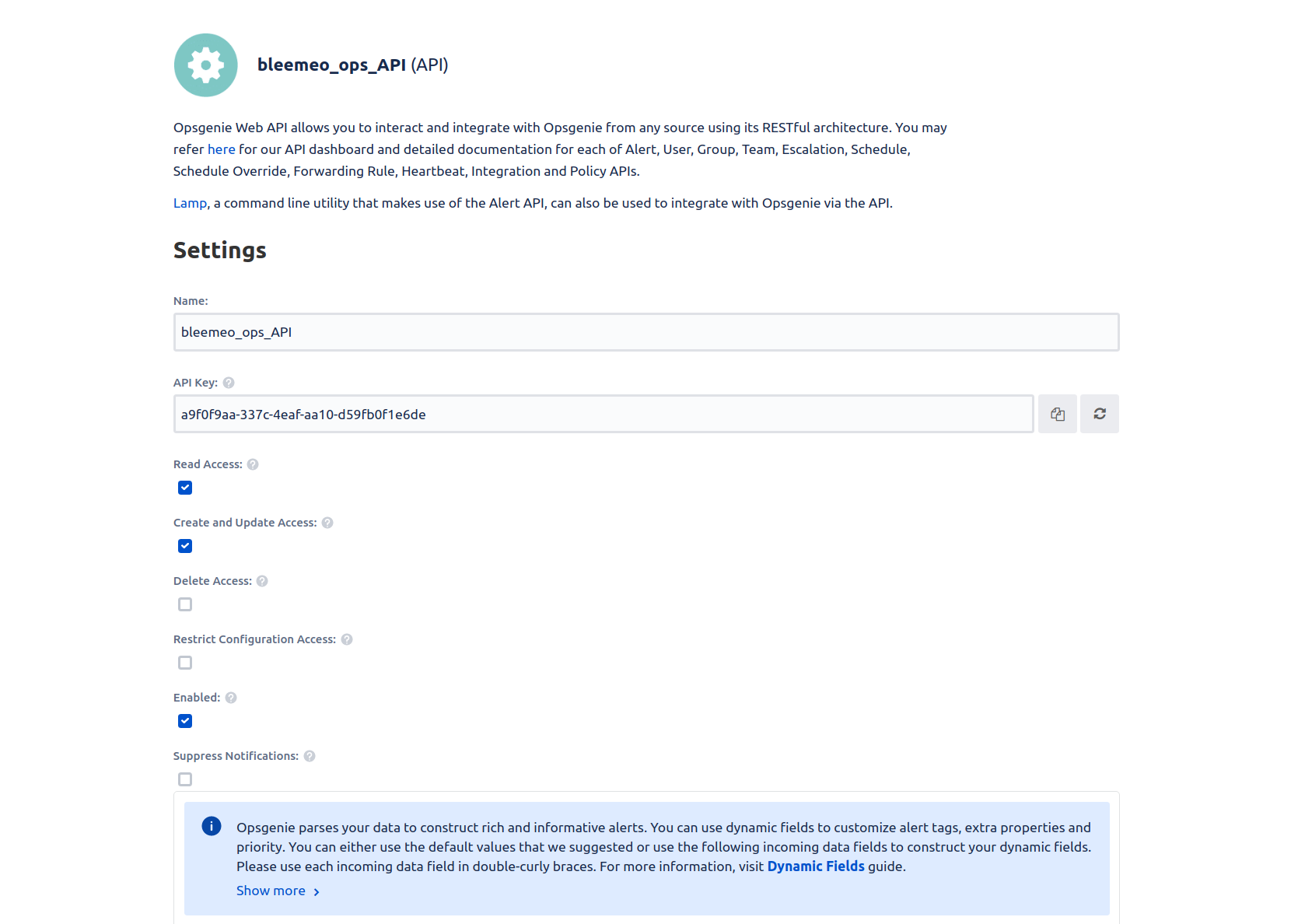
For detailed instructions, see OpsGenie’s integration documentation.
2
Add the Integration in Bleemeo
- Go to the Integrations page in Bleemeo
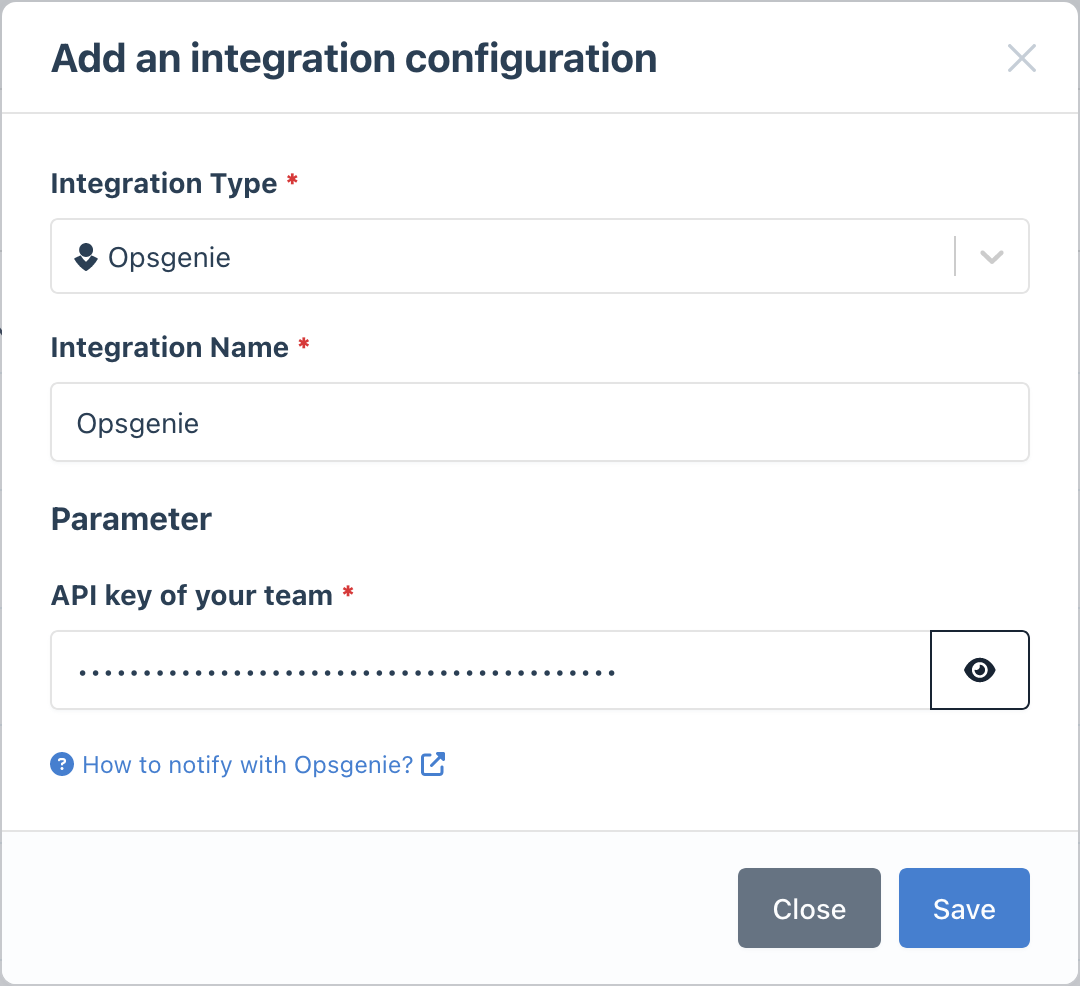
- Click Add Integration and select OpsGenie
- Paste your OpsGenie API Key
- Give it a descriptive name
3
Configure Notification Rules
- Go to Notifications
- Create a new rule or edit an existing one
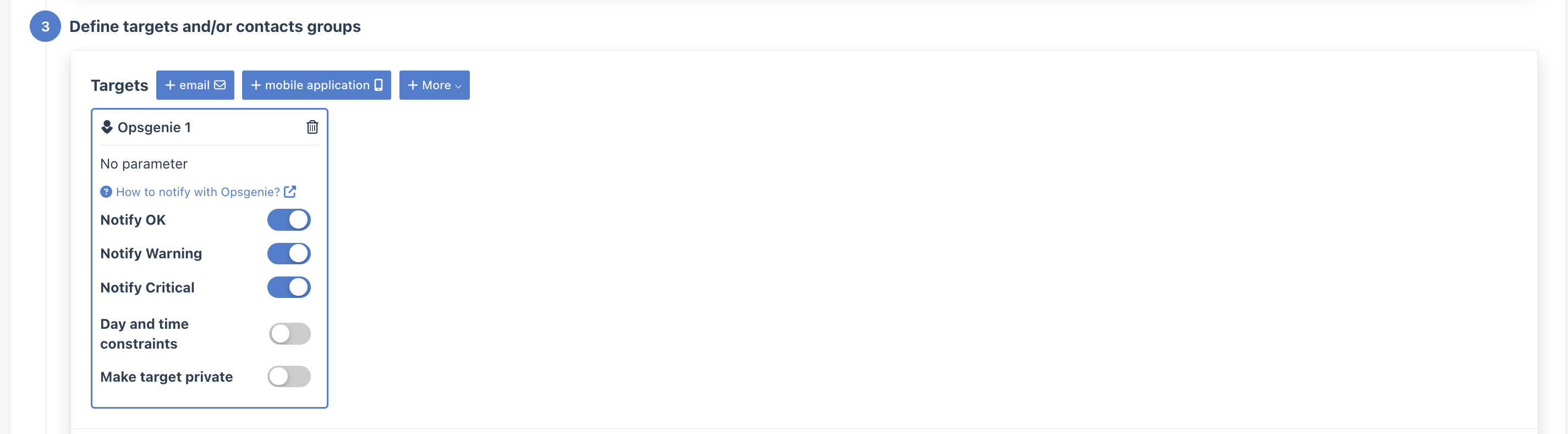
- In the Targets step, select your OpsGenie integration
How It Works
Section titled “How It Works”When Bleemeo triggers an alert:
- An alert is created in OpsGenie
- OpsGenie routes it based on your team’s configuration
- On-call responders are notified according to escalation policies
- When the alert resolves in Bleemeo, OpsGenie is notified to close the alert