

Microsoft Teams Workflows
Starter
Professional
Receive Bleemeo alerts directly in your Microsoft Teams channels. This integration uses Power Automate workflows, which is Microsoft's recommended approach for incoming webhooks.
Learn more about Microsoft Teams1
Create a Workflow in Teams
- Open Microsoft Teams and navigate to the channel where you want alerts
- Click the … menu next to the channel name
- Select Workflows
- Choose “Post to a channel when a webhook request is received”
- Give your workflow a name (e.g., “Bleemeo Alerts”)
- Click Next, then Add workflow
- Copy the generated webhook URL
For detailed instructions, see Microsoft’s documentation.
2
Configure in Bleemeo
- Go to Notifications
- Create a new rule or edit an existing one
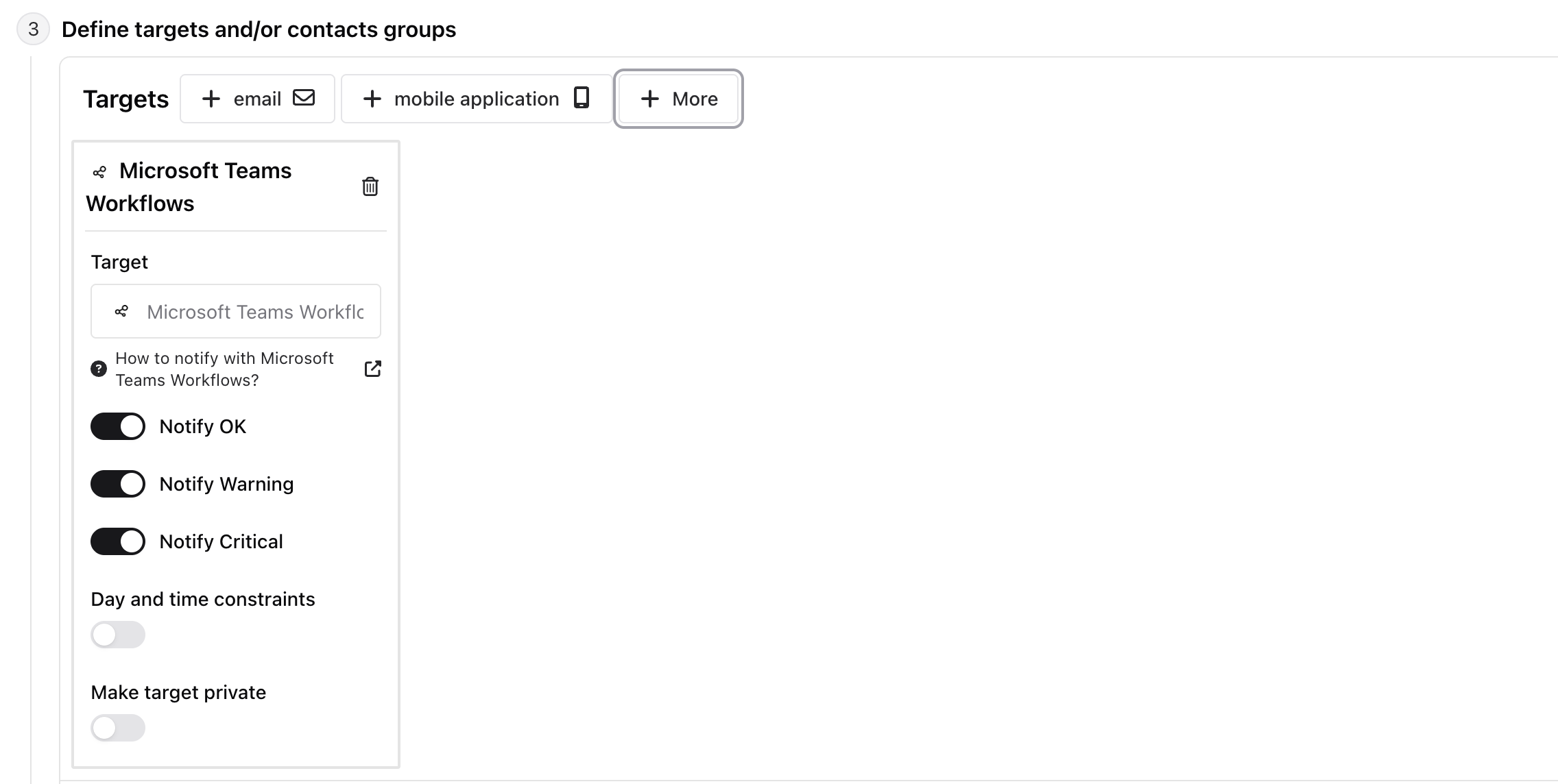
- In the Targets step, select Teams Workflows
- Paste your workflow webhook URL
Why Use Workflows?
Section titled “Why Use Workflows?”Microsoft Teams Workflows is the recommended method for receiving external notifications because:
- Future-proof: Microsoft is retiring the older Office 365 connectors
- More flexible: Workflows can be customized with Power Automate
- Better supported: This is Microsoft’s official solution going forward
If you’re using the older Microsoft Teams connector, we recommend migrating to Workflows.