

Microsoft Teams (Deprecated)
Starter
Professional
Send alerts to Microsoft Teams channels using the legacy connector method. This integration will stop working when Microsoft retires connectors.
Learn more about Microsoft Teams1
Create an Incoming Webhook
- Open Microsoft Teams and navigate to your channel
- Click the … menu next to the channel name
- Select Connectors
- Search for “Incoming Webhook” and click Configure
- Name your webhook (e.g., “Bleemeo Alerts”)
- Copy the generated webhook URL
2
Configure in Bleemeo
- Go to Notifications
- Create a new rule or edit an existing one
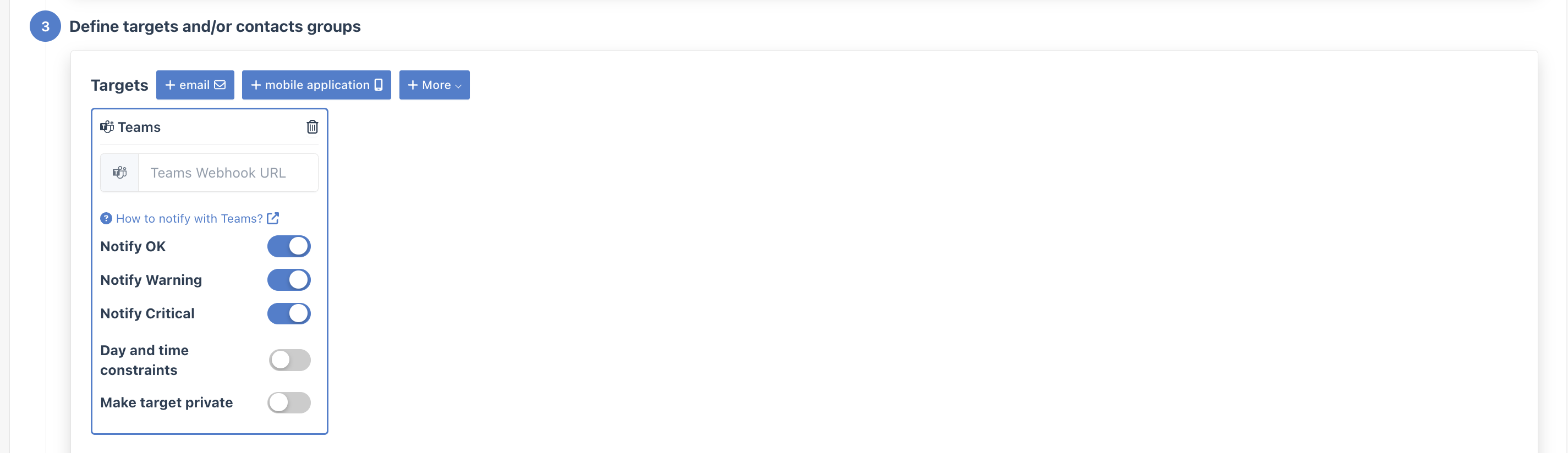
- Select Teams from the integration dropdown
- Paste your webhook URL
Migrate to Teams Workflows
Section titled “Migrate to Teams Workflows”Microsoft is phasing out Office 365 connectors. To ensure uninterrupted alerts:
- Set up the new Teams Workflows integration
- Update your notification rules to use the new integration
- Remove the old connector from your Teams channel