

MessageBird SMS
Starter
Professional
Send SMS alerts through MessageBird's global messaging platform. Reach your team anywhere in the world with reliable SMS delivery for critical infrastructure notifications.
Learn more about MessageBird1
Get Your MessageBird Credentials
You’ll need two pieces of information from your MessageBird account:
- API Key: Create one at MessageBird Developer Access
- Originator: The phone number or sender name that will appear as the message sender
If you need help understanding originators, see MessageBird’s originator documentation.
2
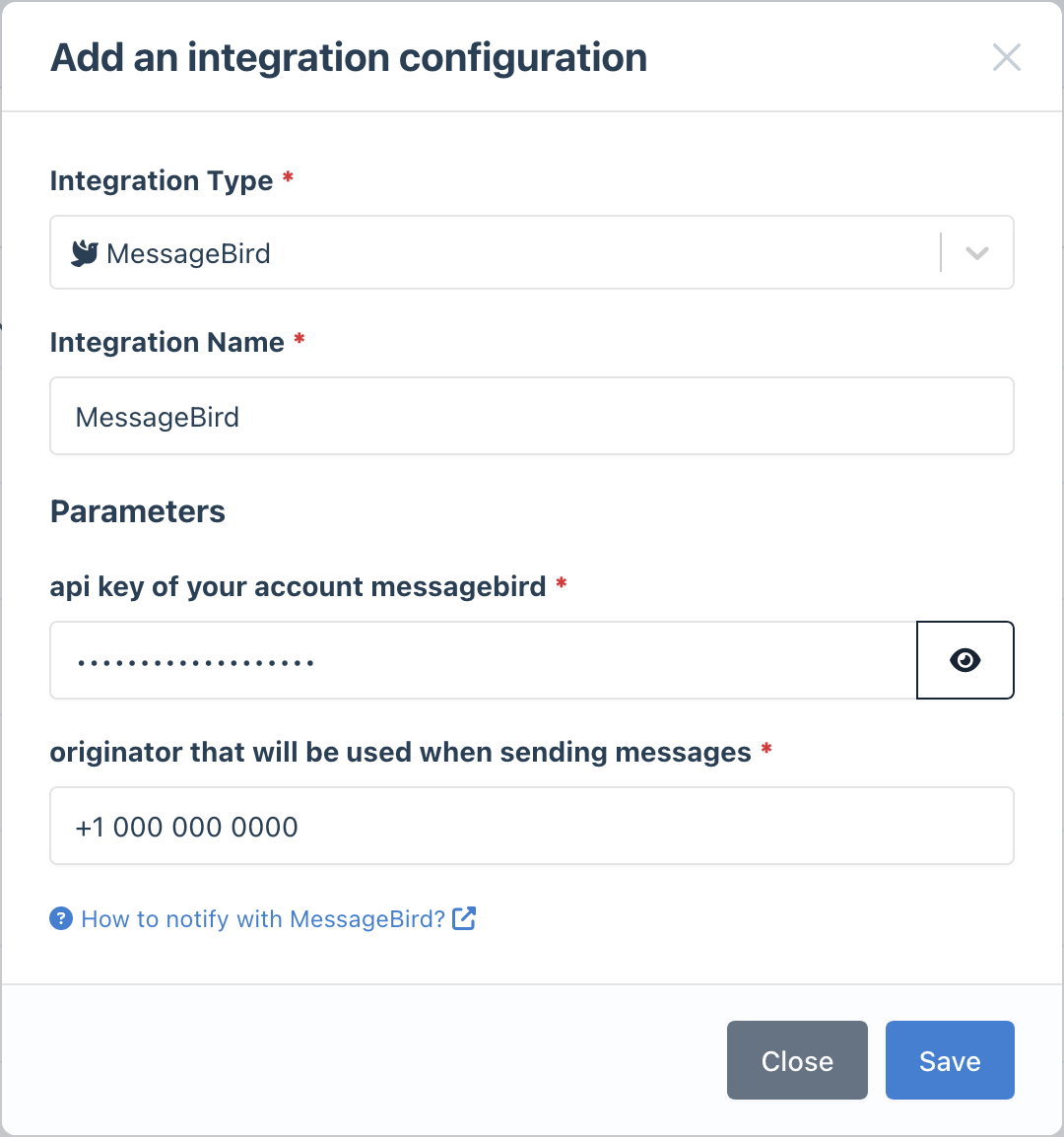
Add the Integration in Bleemeo
- Go to the Integrations page
- Click Add Integration and select MessageBird
- Enter your credentials:
- API Key
- Originator (your sender number or name)
- Give it a descriptive name
3
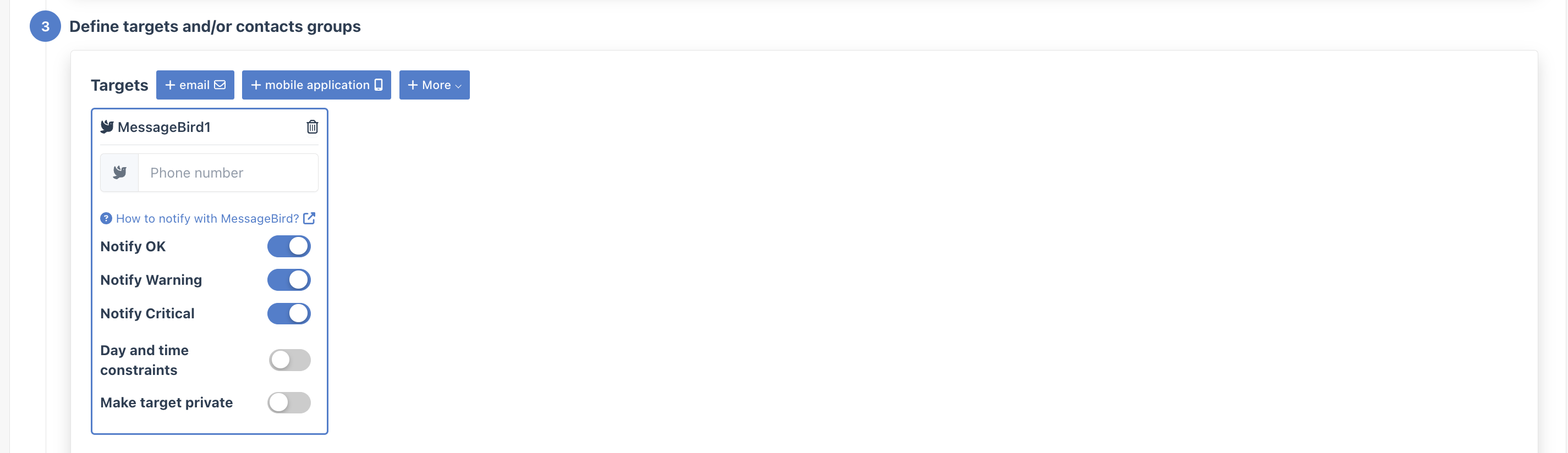
Configure Notification Rules
- Go to Notifications
- Create a new rule or edit an existing one
- In the Targets step, select your MessageBird integration
- Enter the recipient phone number (include country code, e.g.,
+1234567890)
- Include country codes: Always use international format with the
+prefix - Test delivery: Send a test alert to verify SMS delivery before production use
- Monitor credits: Keep an eye on your MessageBird SMS credits to avoid delivery failures