

Atlassian Jira
Starter
Professional
Automatically create Jira issues when Bleemeo detects problems. Track infrastructure incidents alongside your other work and ensure nothing falls through the cracks.
Learn more about Jira1
Create a Personal Access Token
You’ll need a PAT (Personal Access Token) to authenticate with Jira:
For Jira Cloud:
- Go to Atlassian Account Settings
- Click Create API token
- Give it a name and copy the token
For Jira Server/Data Center:
- Go to your profile settings
- Navigate to Personal Access Tokens
- Create a new token with appropriate permissions
See Atlassian’s PAT documentation for details.
2
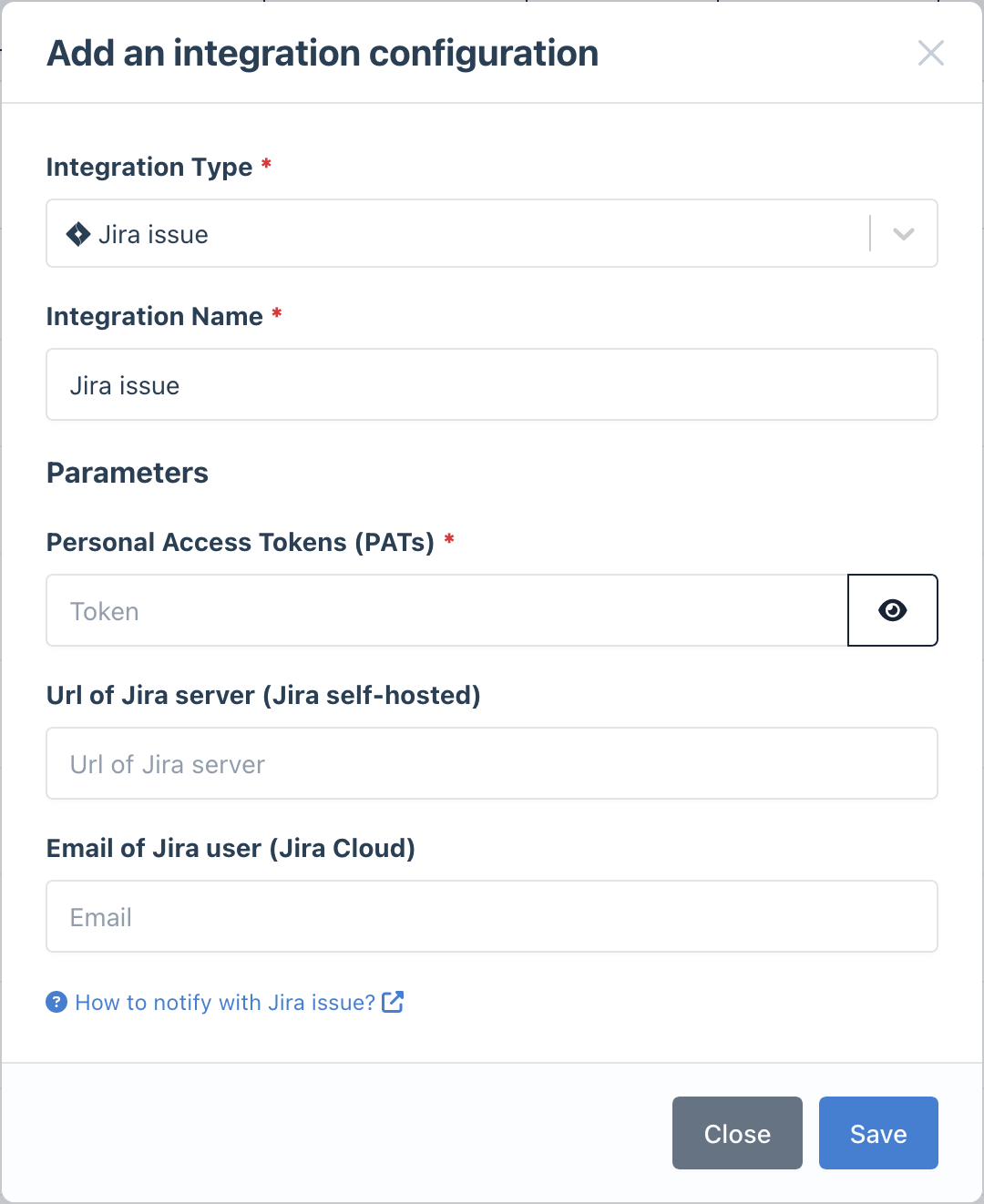
Add the Integration in Bleemeo
- Go to the Integrations page
- Click Add Integration and select Jira
- Enter your credentials:
- Personal Access Token: Your PAT from step 1
- Email (Jira Cloud only): Your Atlassian account email
- URL (Self-hosted only): Your Jira server URL
- Give it a descriptive name
3
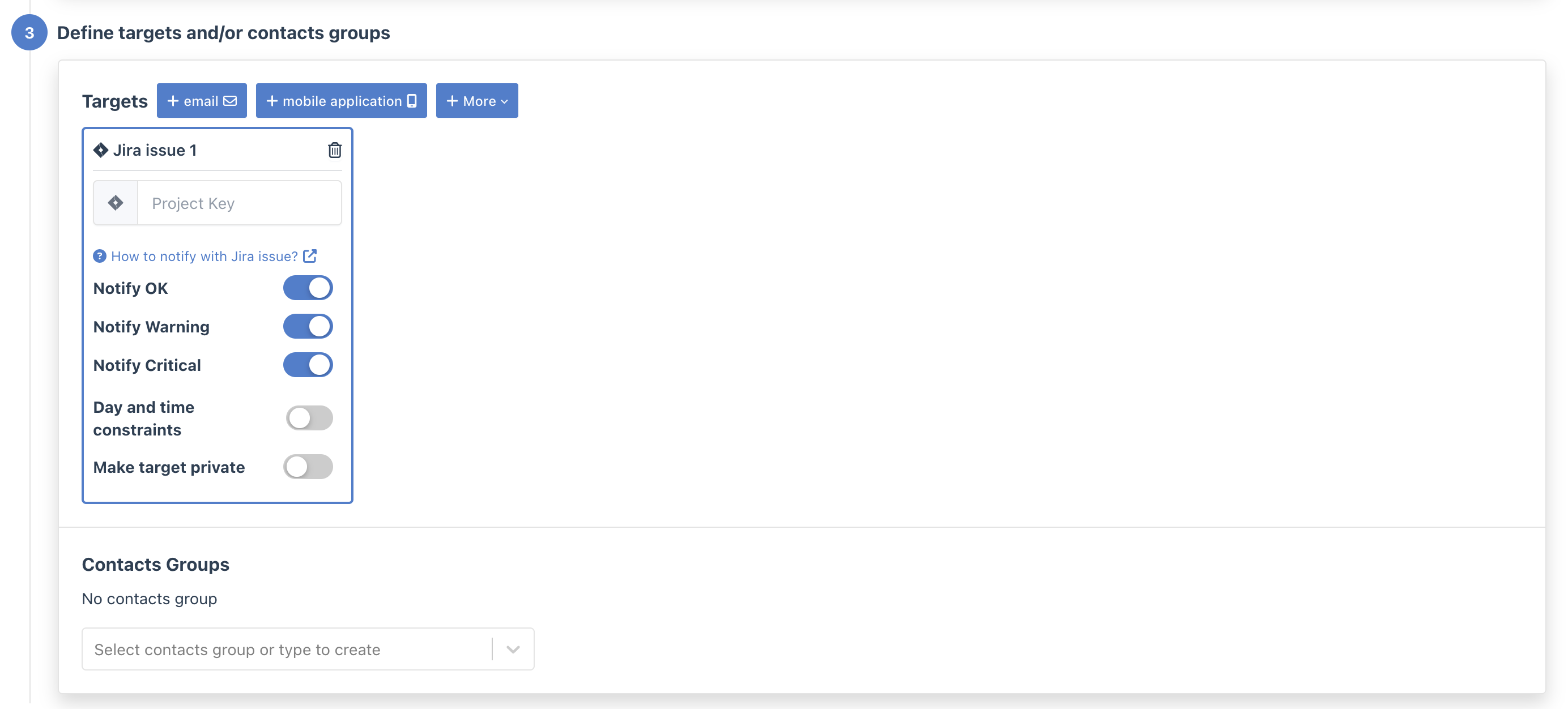
Configure Notification Rules
- Go to Notifications
- Create a new rule or edit an existing one
- In the Targets step, select your Jira integration
- Enter the Project Key (e.g.,
OPS,INFRA)
- Use a dedicated project: Create a project specifically for infrastructure alerts to keep them organized
- Set up automation: Use Jira automation rules to auto-assign issues or add labels based on alert content
- Link to runbooks: Add links to troubleshooting documentation in your issue templates