

GitLab Issues
Starter
Professional
Create GitLab issues automatically when Bleemeo detects infrastructure problems. Works with both GitLab.com and self-hosted GitLab instances.
Learn more about GitLab1
Create a Personal Access Token
- In GitLab, go to User Settings → Access Tokens
- Click Add new token
- Give it a name (e.g., “Bleemeo Integration”)
- Select the
apiscope (read/write API access) - Create and copy the token
See GitLab’s PAT documentation for details.
2
Add the Integration in Bleemeo
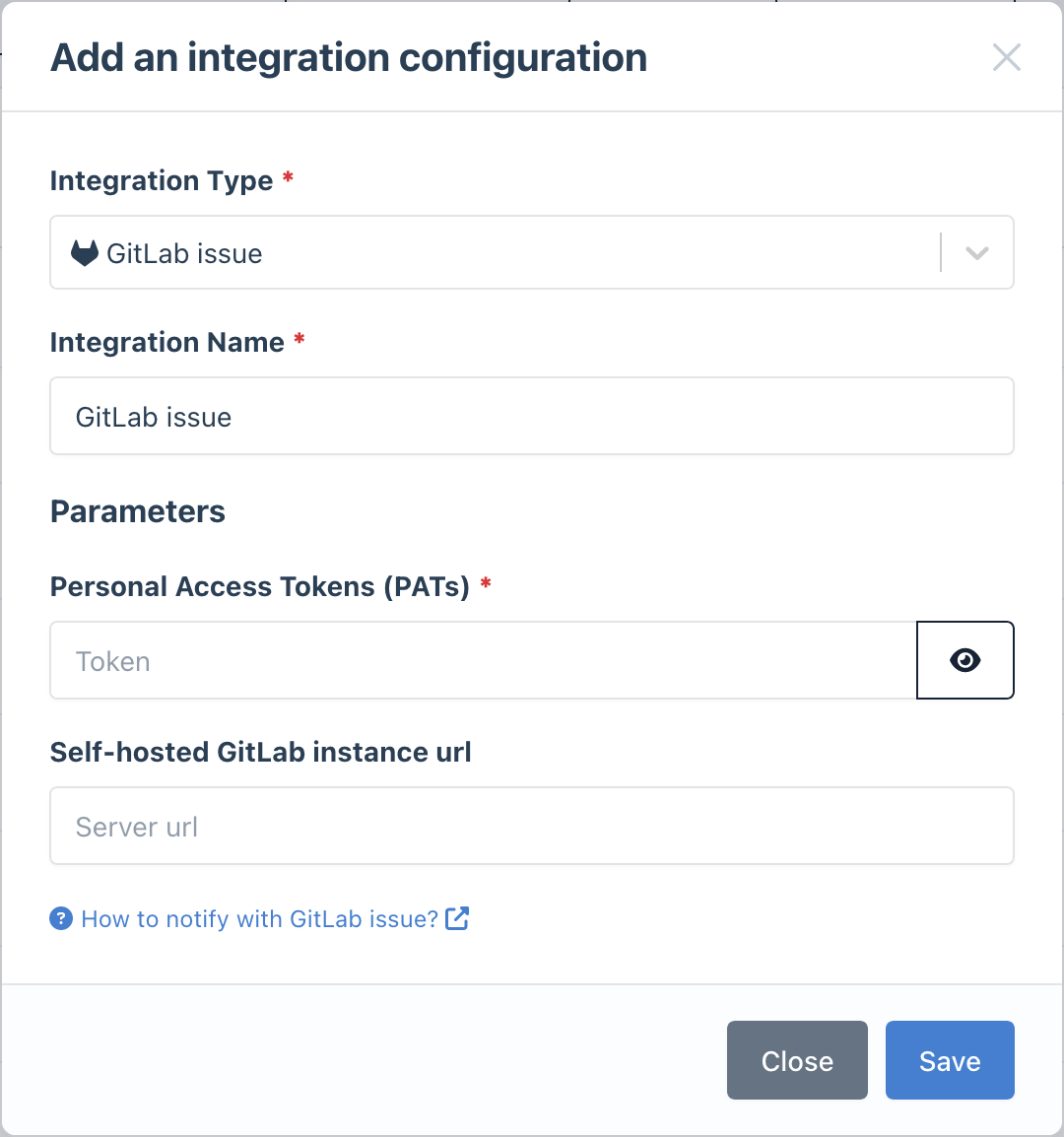
- Go to the Integrations page
- Click Add Integration and select GitLab
- Paste your Personal Access Token
- (Optional) For self-hosted GitLab, enter your instance URL
- Give it a descriptive name
3
Configure Notification Rules
- Go to Notifications
- Create a new rule or edit an existing one
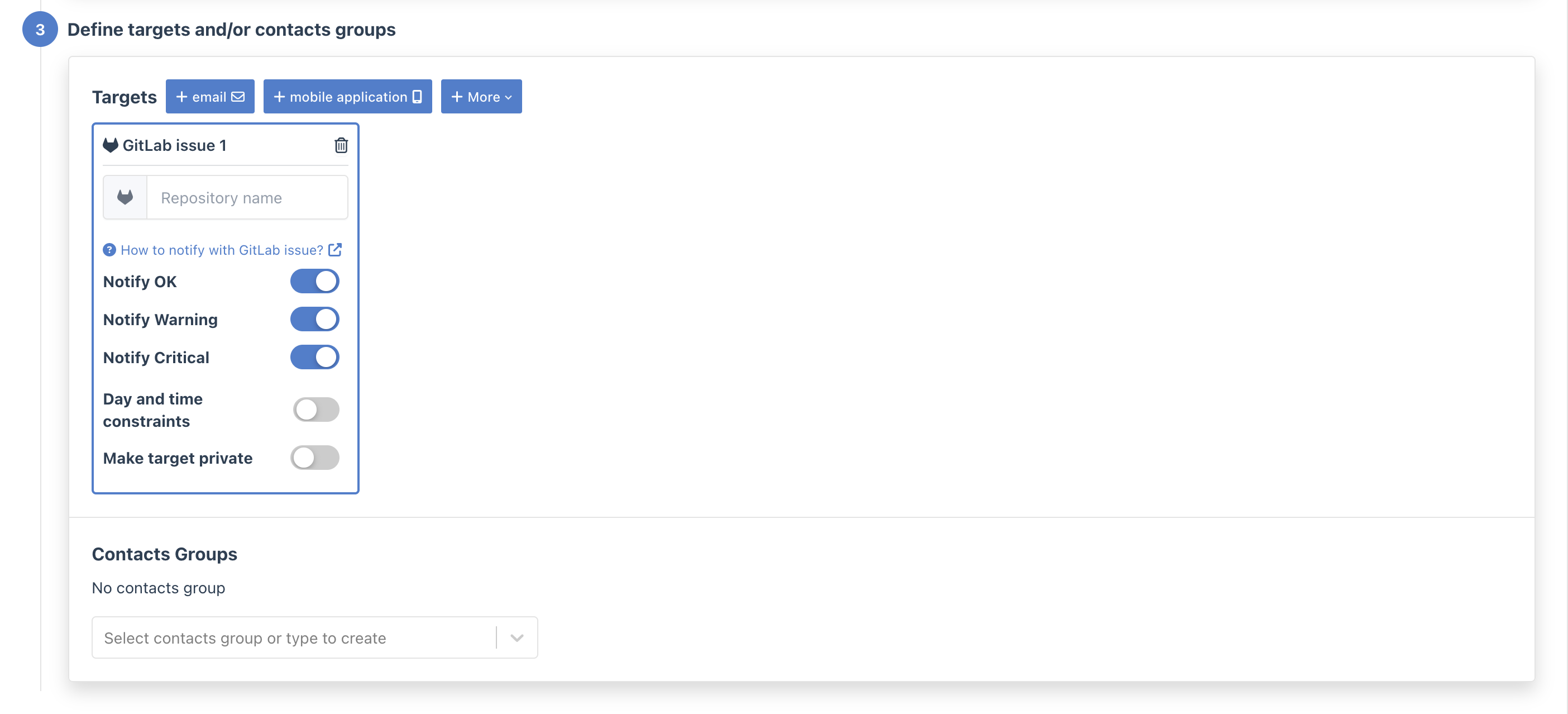
- In the Targets step, select your GitLab integration
- Enter the project path (e.g.,
mygroup/infrastructure)
- Use labels: Pre-create labels in your project like
alert,critical,warning - Set up issue boards: Track alerts on a dedicated GitLab issue board
- Use milestones: Group related incidents under milestones for tracking