

GitHub Issues
Starter
Professional
Create GitHub issues automatically when Bleemeo detects infrastructure problems. Perfect for teams that manage infrastructure as code and want to track incidents alongside their development work.
Learn more about GitHub1
Create a Personal Access Token
- Go to GitHub Settings → Developer settings → Personal access tokens
- Click Generate new token (classic) or Fine-grained tokens
- For classic tokens, select the
reposcope - For fine-grained tokens, grant Read and Write access to Issues
- Generate and copy the token
See GitHub’s PAT documentation for details.
2
Add the Integration in Bleemeo
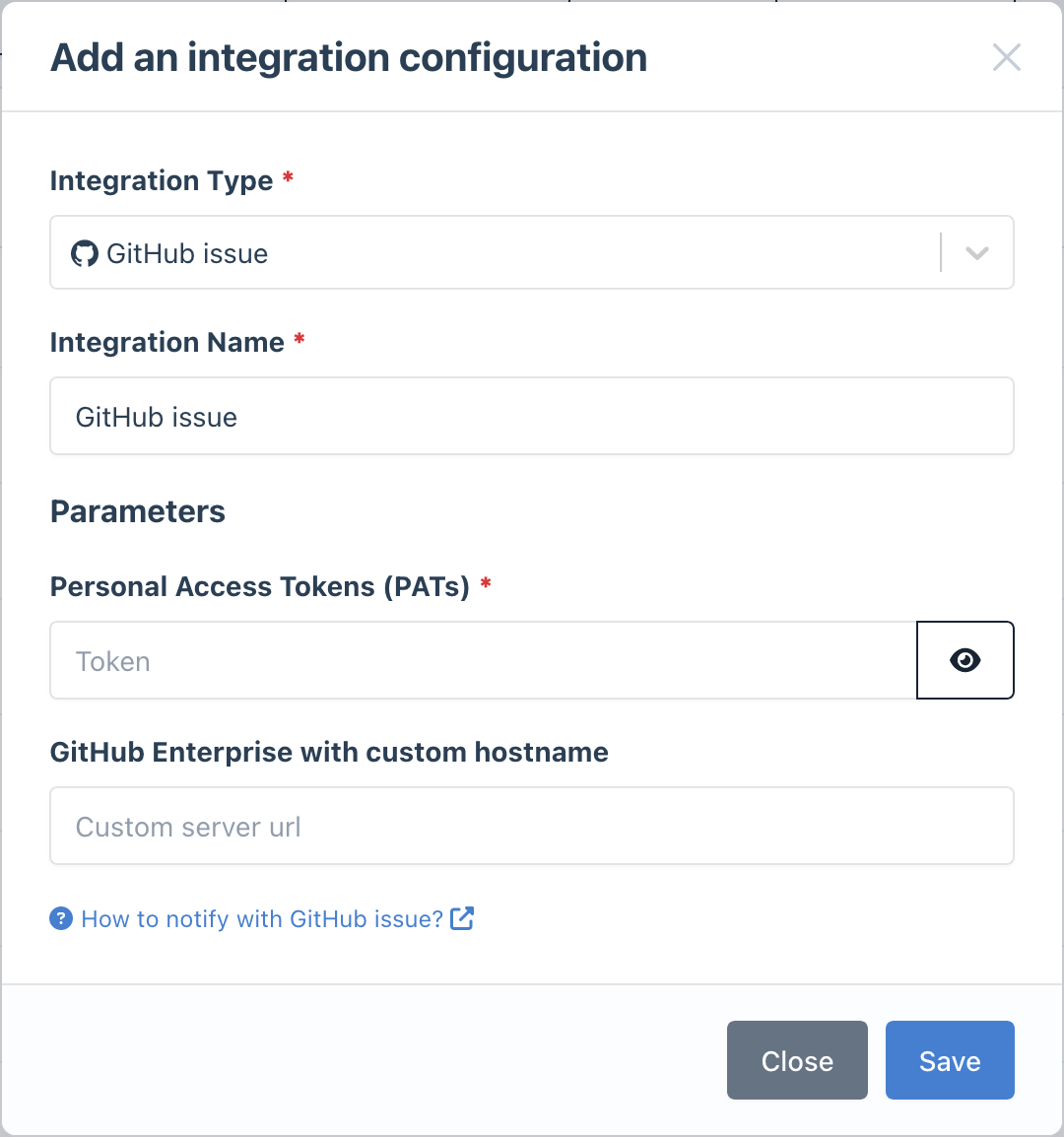
- Go to the Integrations page
- Click Add Integration and select GitHub
- Paste your Personal Access Token
- (Optional) For GitHub Enterprise, enter your custom hostname
- Give it a descriptive name
3
Configure Notification Rules
- Go to Notifications
- Create a new rule or edit an existing one
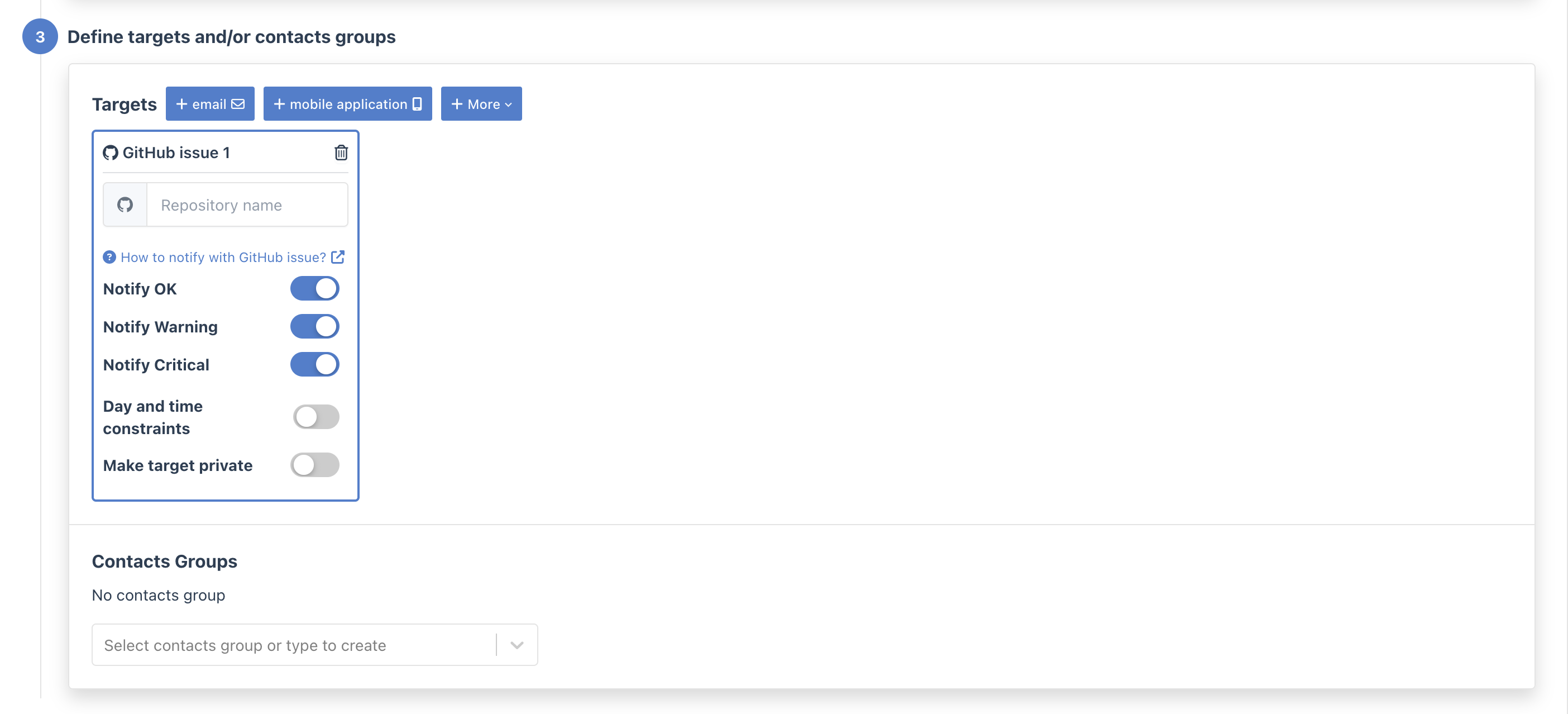
- In the Targets step, select your GitHub integration
- Enter the repository in
owner/repoformat (e.g.,myorg/infrastructure)
- Use issue templates: Create a GitHub issue template for infrastructure alerts
- Add labels: Configure your repo with labels like
alert,infrastructure, ormonitoring - Use GitHub Projects: Track alert issues in a GitHub Project board for better visibility