

Discord
Starter
Professional
Receive Bleemeo alerts in your Discord server. Perfect for teams that use Discord for communication—get notified about infrastructure issues right where your team already collaborates.
Learn more about Discord1
Create a Discord Webhook
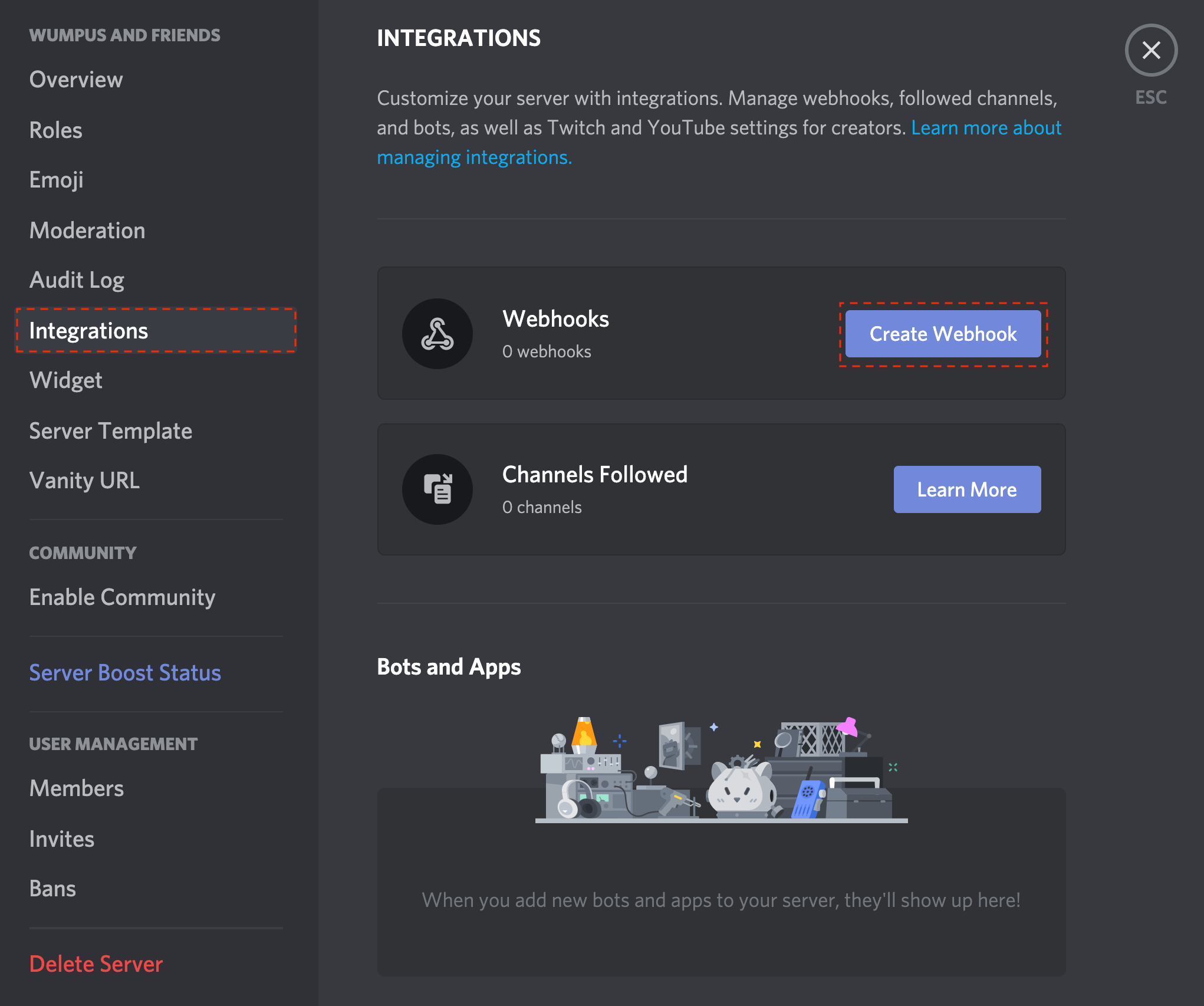
- Open your Discord server and go to Server Settings
- Navigate to Integrations → Webhooks
- Click New Webhook or Create Webhook
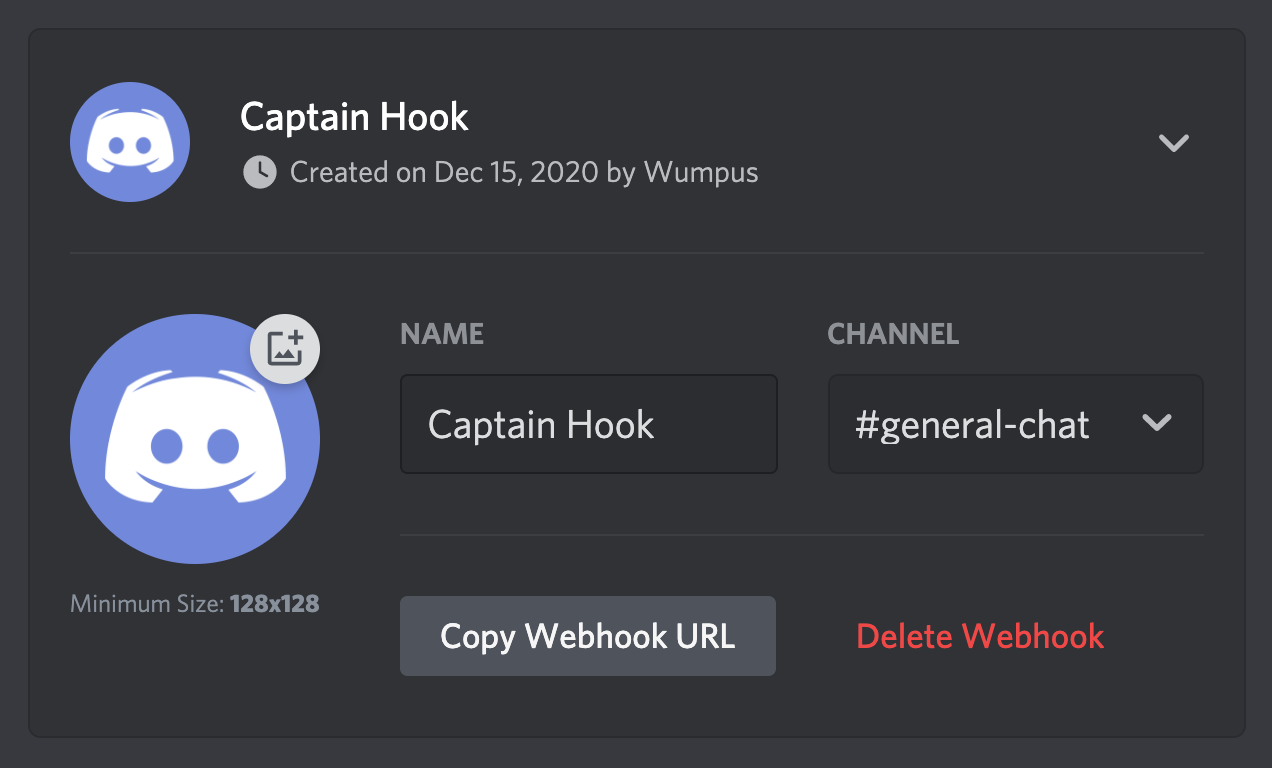
- Give it a name (e.g., “Bleemeo Alerts”)
- Select the channel where you want alerts posted
- Click Copy Webhook URL
For more details, see Discord’s webhook documentation.
2
Create the Integration in Bleemeo (Optional)
If you need multiple Discord integrations:
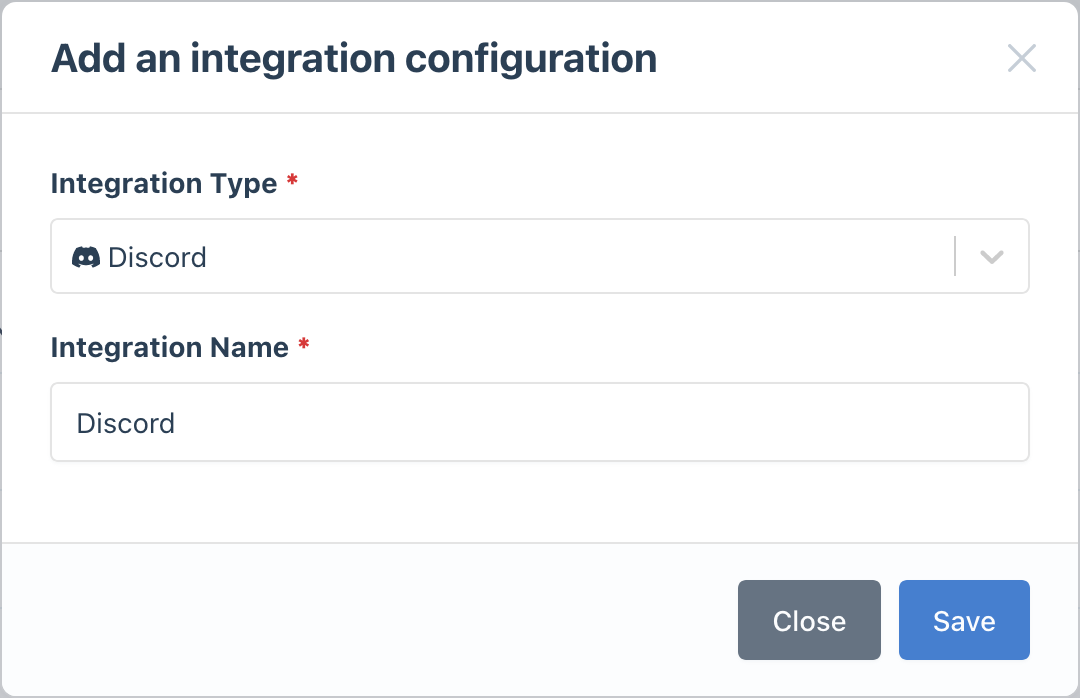
- Go to the Integrations page
- Click Add Integration and select Discord
- Give it a descriptive name
3
Configure Notification Rules
- Go to Notifications
- Create a new rule or edit an existing one
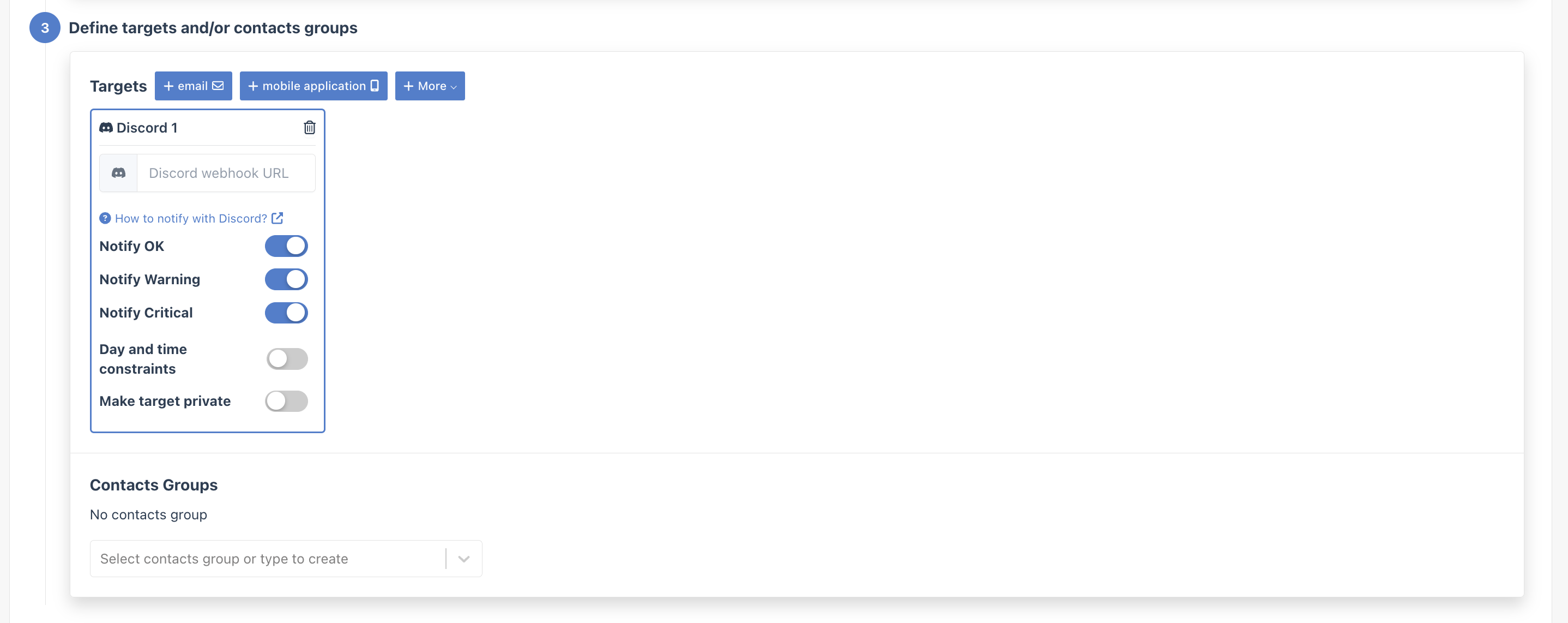
- In the Targets step, select your Discord integration
- Paste your Discord webhook URL
- Create dedicated channels: Use separate channels like
#alerts-criticaland#alerts-warningfor different severity levels - Customize the webhook name: Give your webhook a clear name so it’s obvious where messages come from
- Use threads: Discord threads can help keep alert discussions organized