Notification Targets
Free
Starter
Professional
Notification Targets in Bleemeo define where and how alerts are sent when monitoring issues are detected. They act as the bridge between your monitoring rules and the channels through which you want to be notified (email, Slack, webhooks, etc.).
What is a Notification Target?
Section titled “What is a Notification Target?”A Notification Target represents a specific destination for alert notifications. It contains:
- Type: The notification channel (email, Slack, webhook, PagerDuty, etc.)
- Display Name: A human-readable identifier for the target
- Configuration: Channel-specific settings (email address, webhook URL, Slack channel, etc.)
- Associated Rules: Which monitoring rules should trigger notifications to this target
Create target
Section titled “Create target”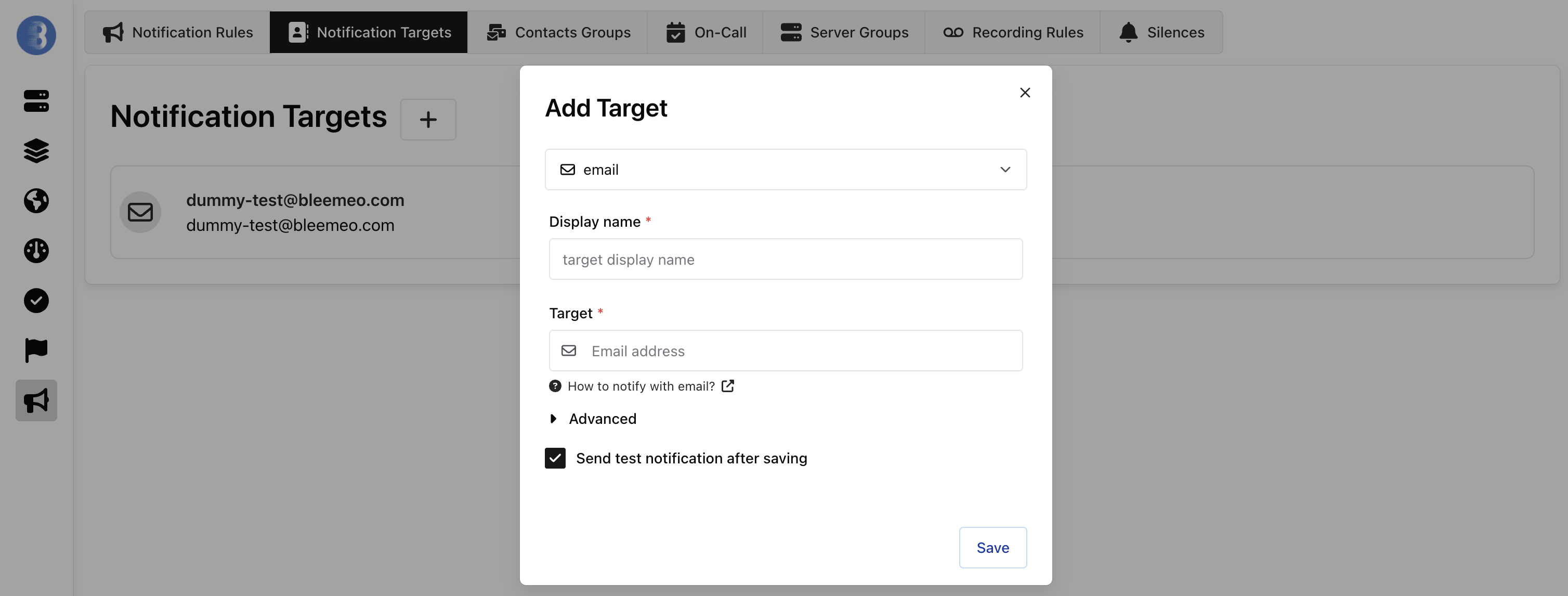
Advanced mode
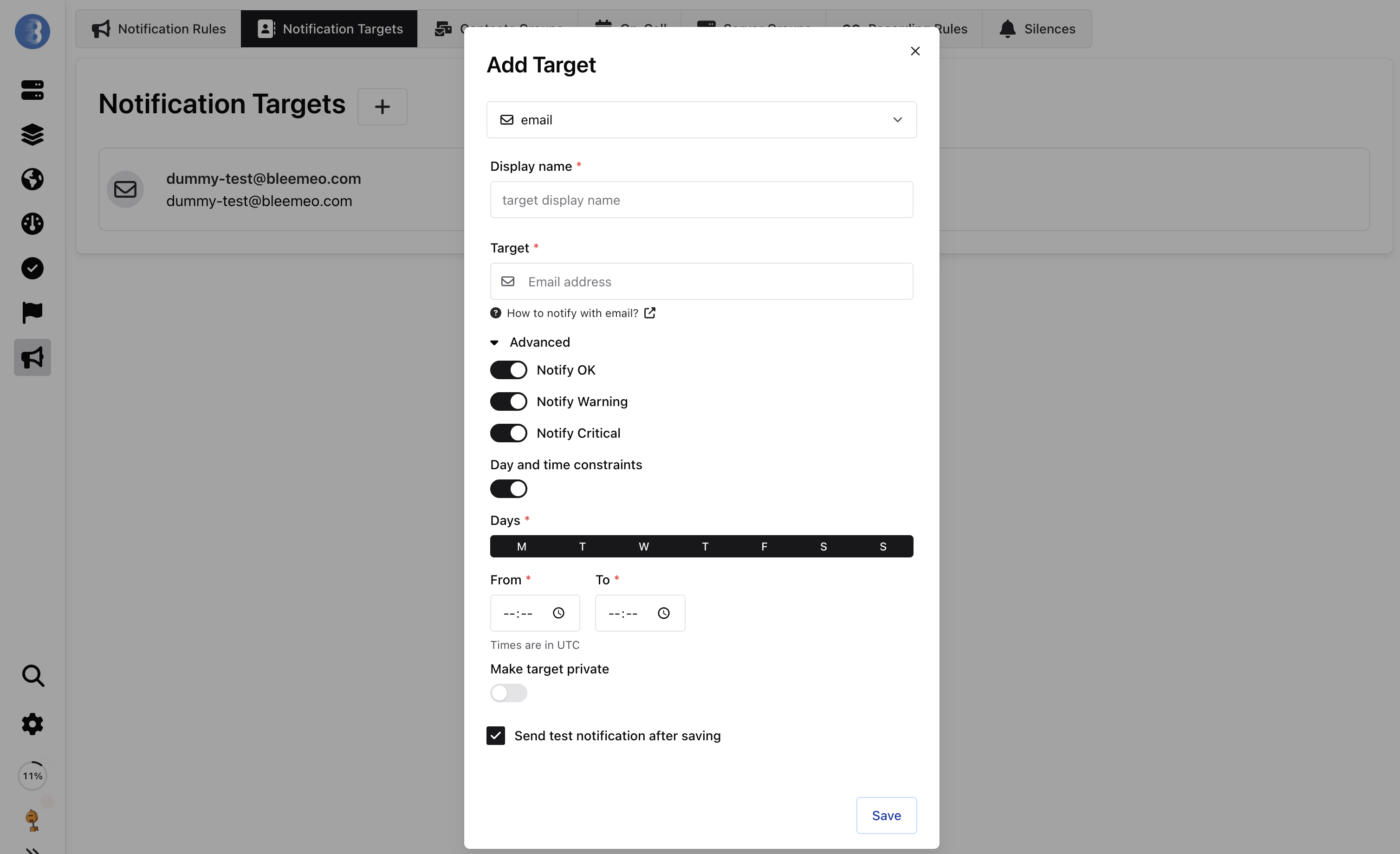
Section titled “Advanced mode”The Advanced mode provides additional configuration options to fine-tune when and how notifications are sent:
Severity Filters
Control which alert severity levels trigger notifications to this target:
- Notify OK: Send notifications when an alert returns to normal state
- Notify Warning: Send notifications for warning-level alerts
- Notify Critical: Send notifications for critical-level alerts
Day and Time Constraints
Restrict notifications to specific days and time windows. This is useful for:
- Limiting notifications to business hours
- Avoiding notifications during maintenance windows
When enabled, you can:
- Select specific days of the week (Monday through Sunday)
- Set a time range with “From” and “To” fields (times are in UTC)
Additional Options
- Make target private: Restrict visibility of this notification target to only authorized users
- Send test notification after saving: Automatically send a test notification to verify the configuration works correctly