Contacts Groups
Contact Groups in Bleemeo provide a way to organize and manage collections of notification targets as a single entity. They simplify notification management by allowing you to define groups of contacts once and reuse them across multiple monitoring rules.
What is a Contact Group?
Section titled “What is a Contact Group?”A Contact Group is a named collection of notification targets that can be assigned to monitoring rules. Instead of individually selecting multiple notification targets for each rule, you can assign a single contact group that contains all relevant targets.
Key characteristics:
Section titled “Key characteristics:”- Reusable: Define once, use in multiple monitoring rules
- Maintainable: Update group membership in one place
- Hierarchical: Organize your notification structure logically
- Flexible: Mix different notification types within a single group
Create Contact Group
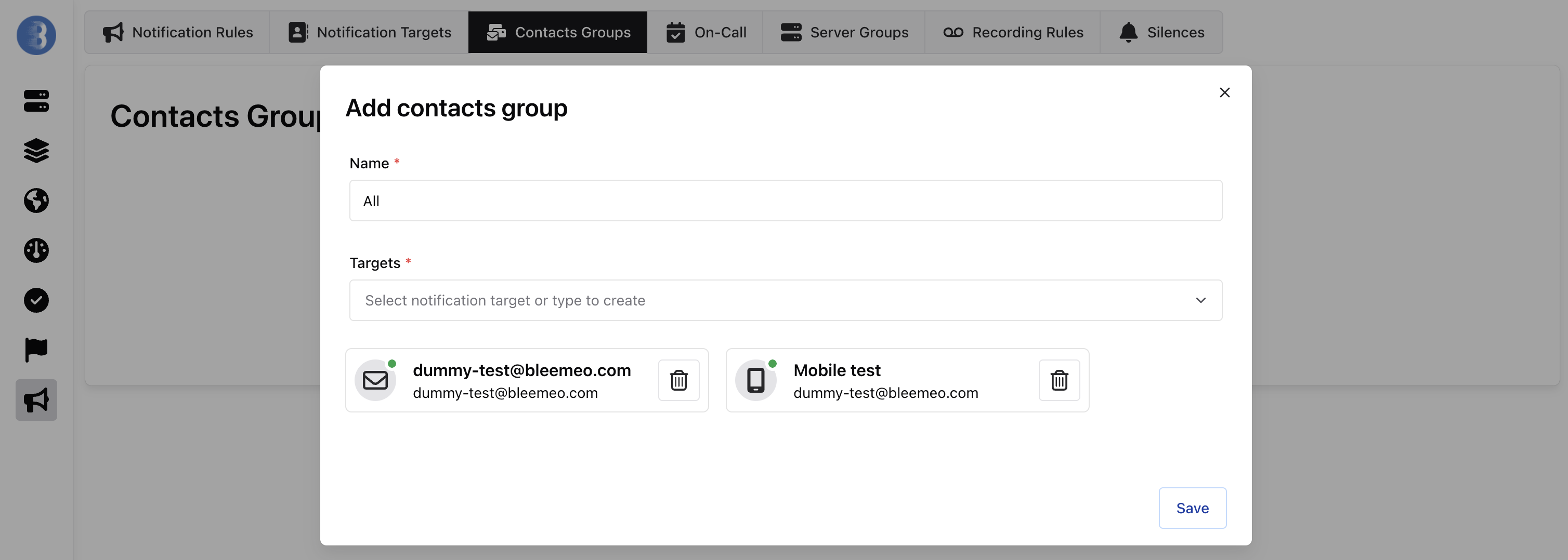
Section titled “Create Contact Group”Creating a contact group is straightforward and allows you to organize your notification targets efficiently:
-
Name (required): Give your contact group a descriptive name that reflects its purpose (e.g., “DevOps Team”, “All”, “Business Hours Support”)
-
Targets (required): Select the notification targets you want to include in this group:
- Use the dropdown to select from existing notification targets
- You can add multiple targets of different types (email, Slack, webhooks, mobile, etc.)
- Type to search and filter available targets
- Remove targets from the group using the trash icon next to each target
-
Click Save to create the contact group
Once created, the contact group can be assigned to notification rules, and all notifications will be sent to every target within the group. If you need to update who receives notifications, simply modify the contact group membership instead of updating each individual rule.