
Skip to content

Reservations & Discounts

If you have predictable monitoring needs, reservations let you pre-pay for a set number of agents and receive significant discounts.

Available Discounts

Commit to a longer term for bigger savings:

DurationDiscount
12 months10% off
24 months15% off
36 months20% off

Reservations are based on your current plan’s pricing. You commit to paying for a specific number of agents each month for the duration of your reservation.
How Reservations Work

When you create a reservation, you’re committing to a monthly minimum:

  • Usage within reservation: Covered by your pre-paid reservation
  • Usage above reservation: Billed at standard plan rates
  • Usage below reservation: You pay for the full reservation (unused credits don’t roll over)

Creating a Reservation

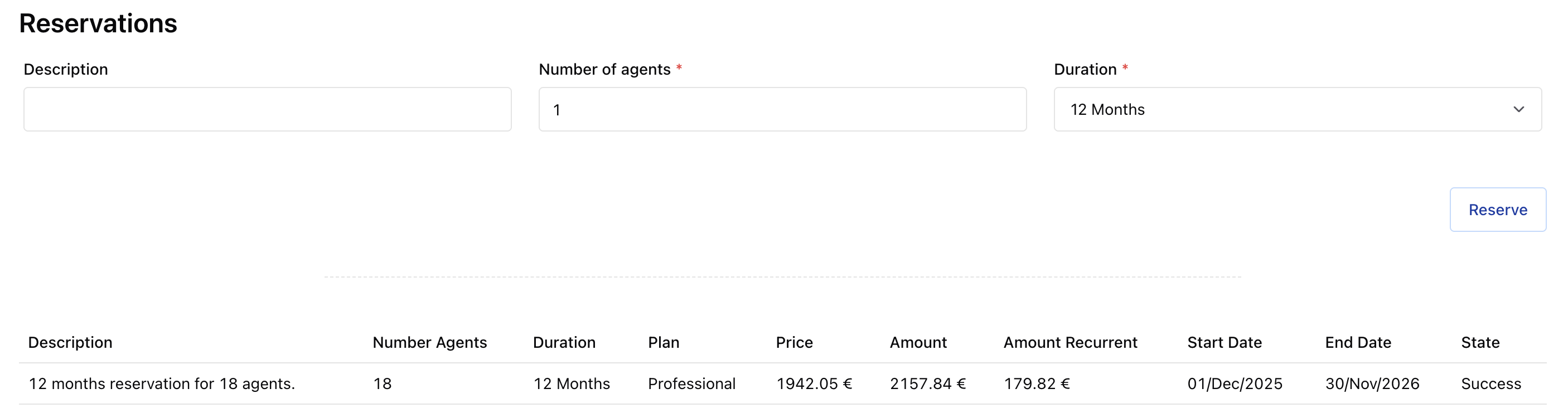
  1. Go to Subscriptions
  2. Click Create Reservation
  3. Select:
    • Number of agents
    • Duration (12, 24, or 36 months)
    • Optional description
  4. Click Reserve
Reservations list

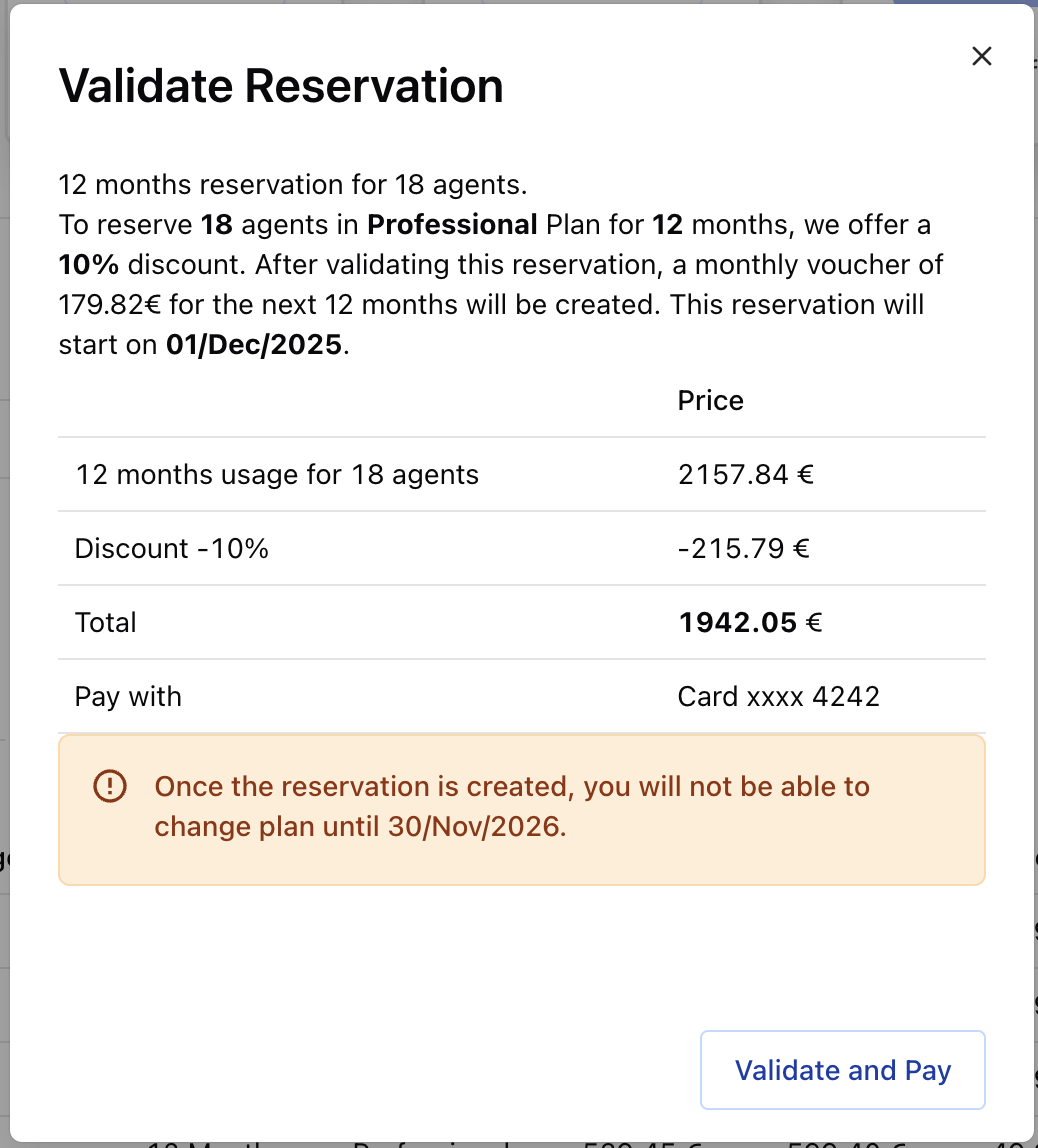
A confirmation dialog shows the total cost. Review carefully before confirming.

Reservation confirmation

Payment Processing

What happens after you confirm depends on your payment method:

Payment MethodProcessing
Credit CardCharged immediately. Status updates instantly.
SEPA DebitPending until payment clears. Vouchers created after payment.
Bank TransferVouchers created after payment is received.

Once your reservation is marked as Success, the system generates recurring vouchers that automatically apply to your monthly invoices.

Reservation vouchers
  • No refunds: Paid reservations cannot be refunded. Contact support if you have issues.
  • Plan lock: You cannot change plans while a reservation is active.
  • Unused credits: Credits don’t transfer to the next month.
