

OVH SMS
Starter
Professional
Send SMS alerts through OVH's messaging platform. Ideal for European teams already using OVH services who want to consolidate their SMS notifications.
Learn more about OVH SMS1
Set Up Your OVH SMS Service
First, ensure you have SMS credits and a sender configured:
- Order SMS credits from the OVH SMS Manager
- Create or activate a Sender Name in the SMS Manager
2
Create API Credentials
You’ll need to create an OVH API application:
- Go to OVH Create Application
- Create a new application and note your Application Key and Application Secret
- Generate a Consumer Key using the Python script below:
import ovh
client = ovh.Client(    'ovh-eu',    application_key='YOUR_APPLICATION_KEY',    application_secret='YOUR_APPLICATION_SECRET',    consumer_key='')
# Request API access permissionsck = client.new_consumer_key_request()ck.add_rules(ovh.API_READ_ONLY, "/me")ck.add_recursive_rules(ovh.API_READ_ONLY, "/me")ck.add_recursive_rules(ovh.API_READ_WRITE, "/sms")
# Request tokenvalidation = ck.request()
print(f"Please visit {validation['validationUrl']} to authenticate")input("Press Enter after authenticating...")
print(f"Your Consumer Key: {validation['consumerKey']}")- Run the script, visit the validation URL to authorize, then copy your Consumer Key
3
Add the Integration in Bleemeo
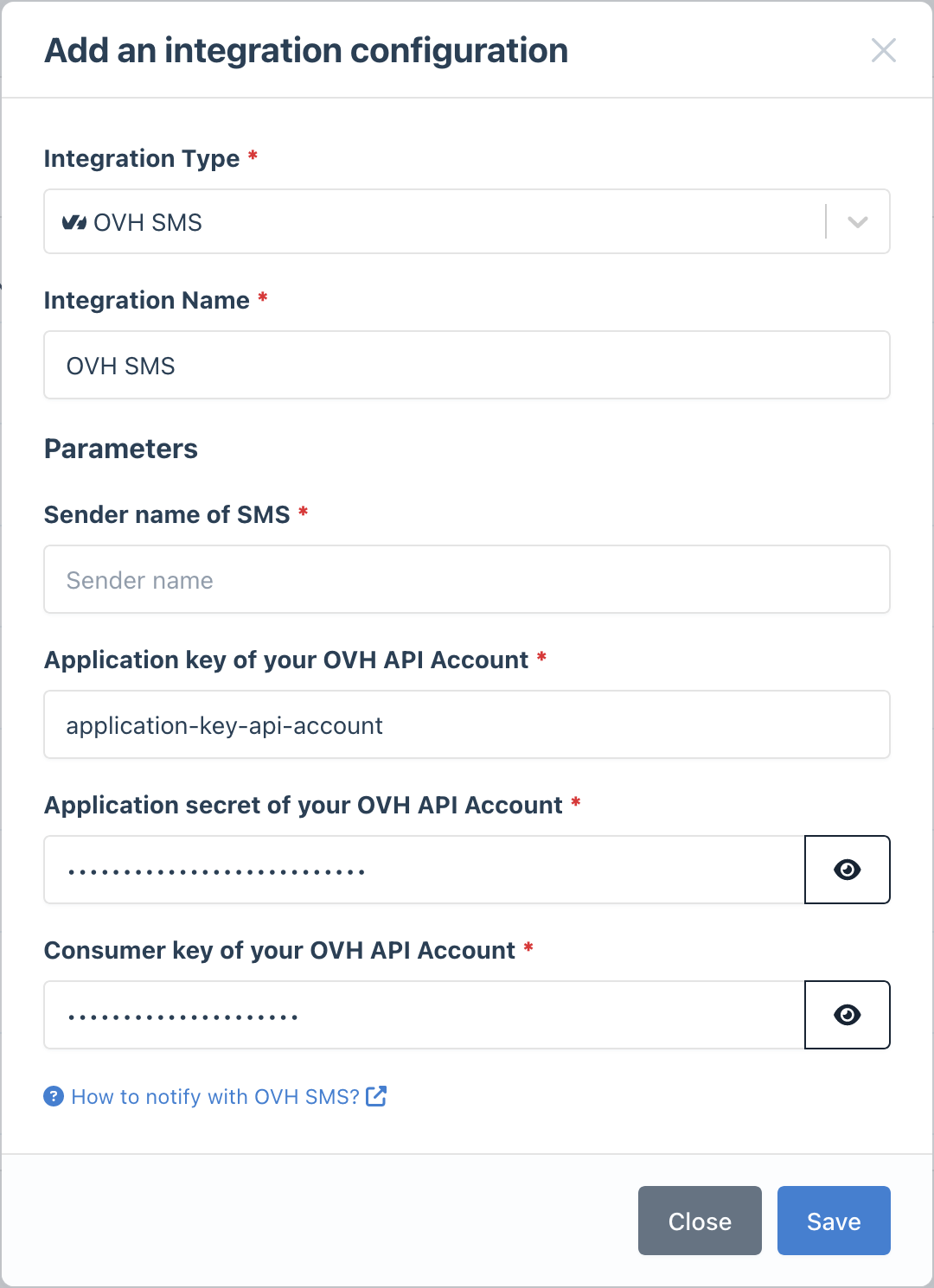
- Go to the Integrations page
- Click Add Integration and select OVH SMS
- Enter your credentials:
- Sender Name
- Application Key
- Application Secret
- Consumer Key
- Give it a descriptive name
4
Configure Notification Rules
- Go to Notifications
- Create a new rule or edit an existing one
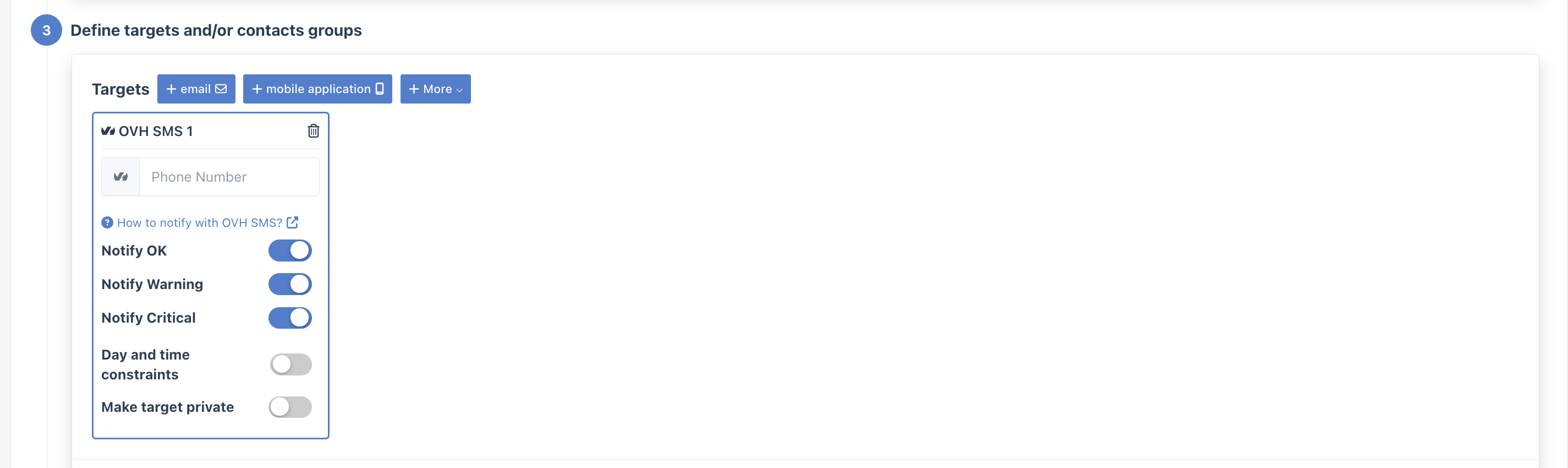
- In the Targets step, select your OVH SMS integration
- Enter the recipient phone number (include country code, e.g.,
+33612345678)
- Monitor SMS credits: Check your OVH SMS balance regularly to avoid delivery failures
- Use meaningful sender names: Configure a recognizable sender name so recipients know alerts are from Bleemeo
- Store credentials securely: Keep your API keys and Consumer Key in a secure location